Today is the tab you open every workday. Everything you do here comes down to one thing: your daily log - recording what came in and linking it to what you did. ZumFlo calculates the rest. This page shows what’s on your screen; the full, written-out linking flow is in getting started.
At the top
Your workday and your result in the making
At the top is your workday card. You choose your location, and you can already see your result growing: a “Provisional result” with a progress bar (“4/7 distributed”) and, as long as some cash register money is still undistributed, a line reading “+ €X unprocessed”. This is also where you record your workday context: your time slot, your hours and your kilometres. On an empty day you choose “Worked” or “Didn’t work” with a single tap - so a day without revenue, with only your fixed costs, still counts too.
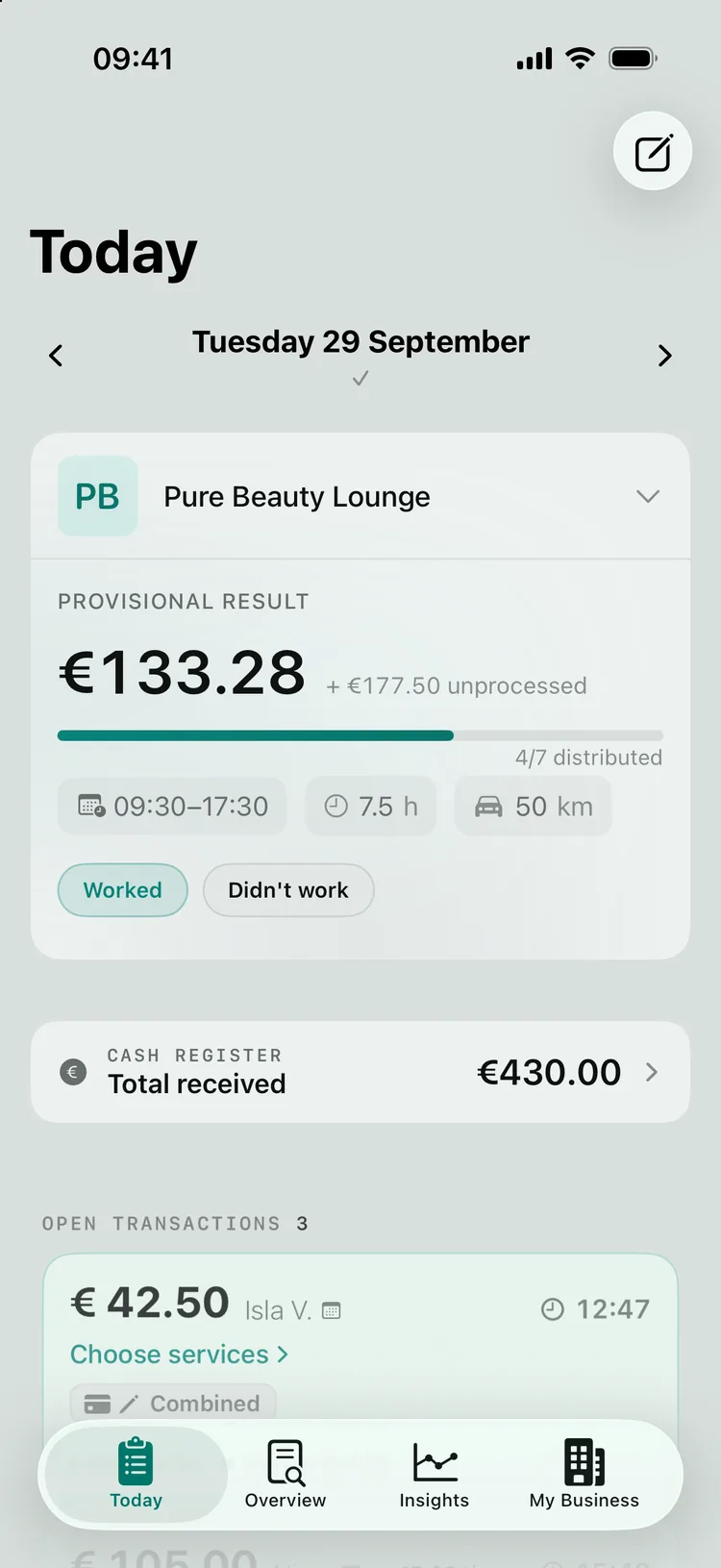
Cash register
Where your money comes together
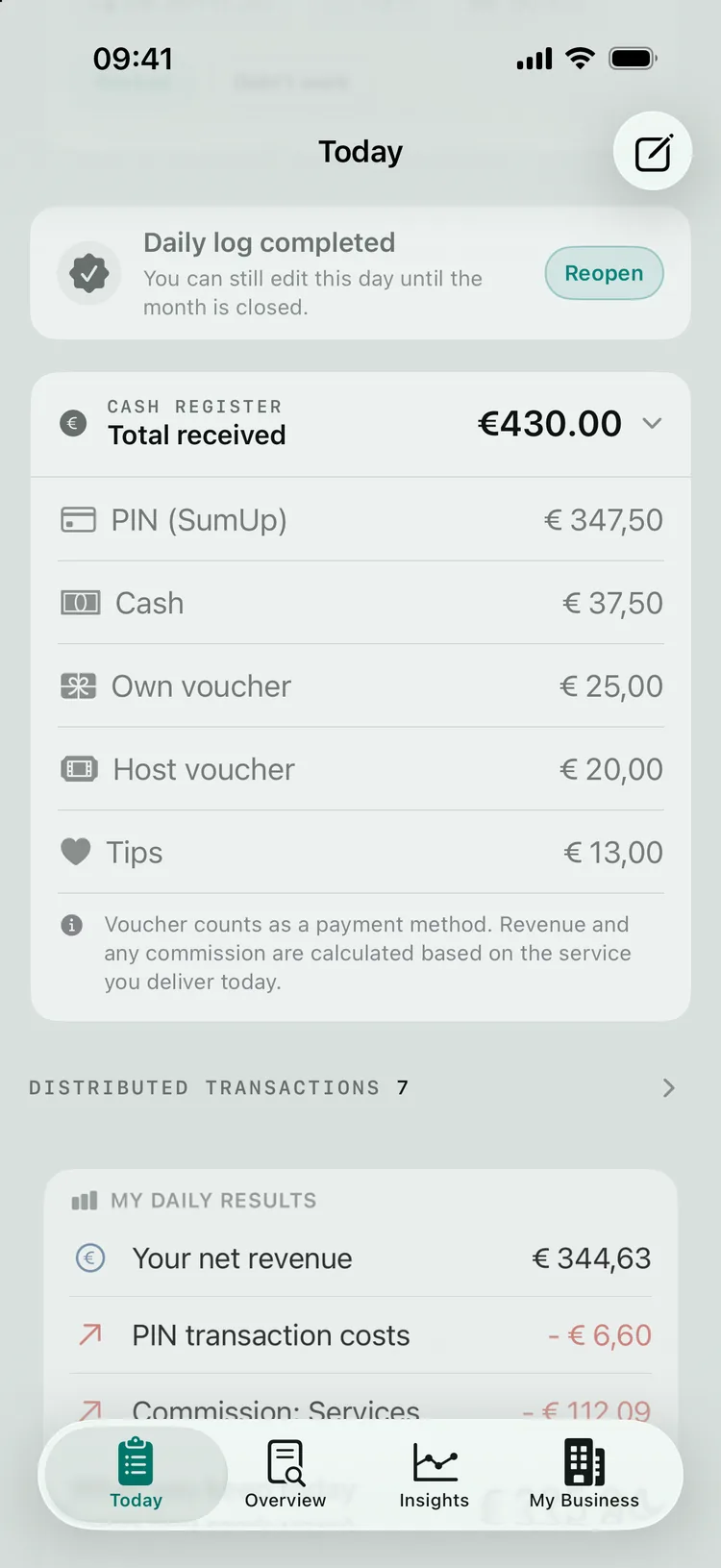
Under the heading CASH REGISTER your “Total received” comes together: card, cash, vouchers and tips. If you’ve connected SumUp or PayPal POS, your card payments appear automatically. The other rows - Cash, Own voucher, Host voucher and Tips - you fill in yourself where they apply; after all, they leave no digital trail. The card can be collapsed and closes by itself once you’ve closed the day.
Linking
From payment to service
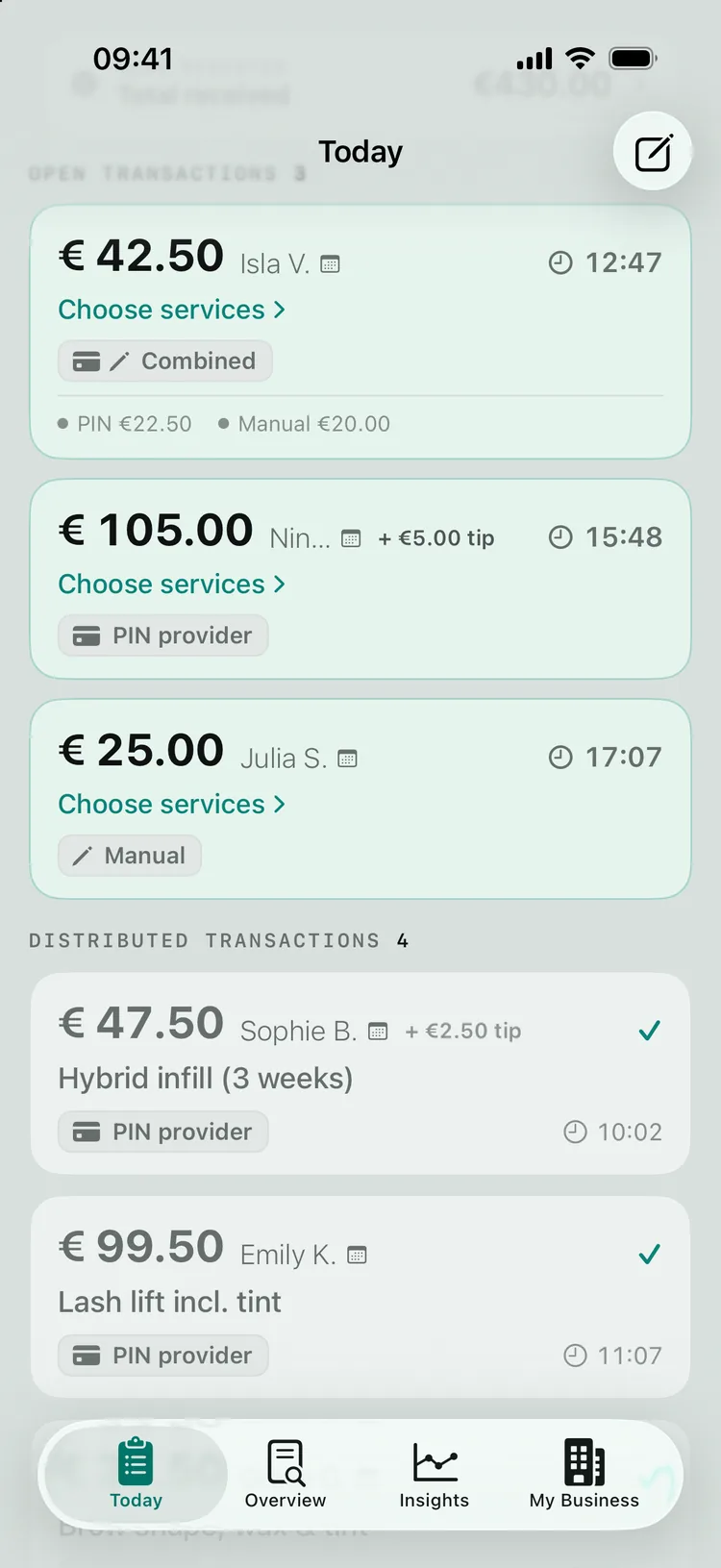
Below that, your transactions sit in two lists: OPEN TRANSACTIONS and DISTRIBUTED TRANSACTIONS. The heart of the day is linking: for each payment you confirm what was in it. With the calendar connection ZumFlo already has the service ready, so in most cases you only confirm - often with a single swipe. You add a separate payment with “Manual”. This whole routine - including splitting combined payments - is explained step by step in getting started.
Once everything is distributed and your cash register matches what you’ve done, the “Close workday” button appears. One tap, and your day is locked into your month.
Day result
See straight away what you earned
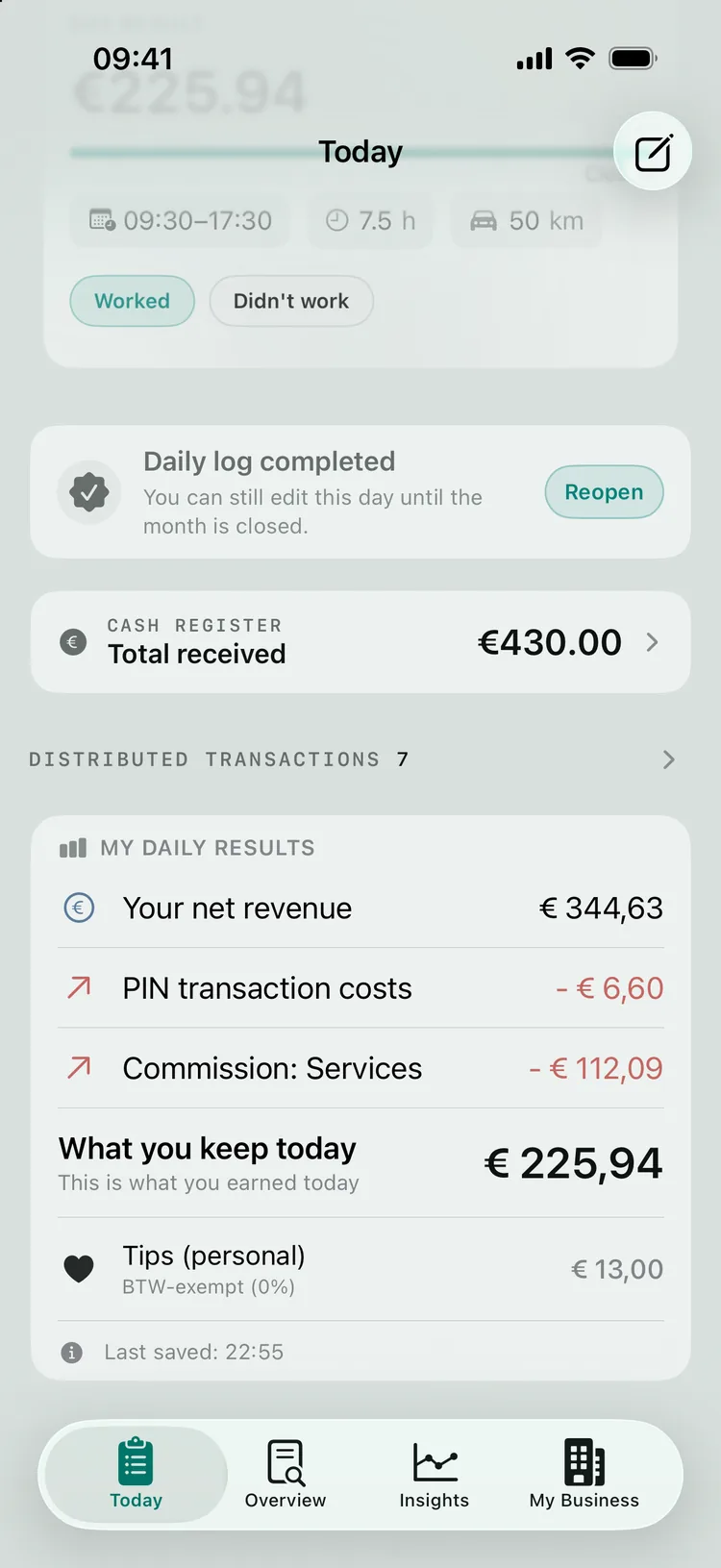
Only after closing the day does your day result appear, under MY DAILY RESULTS. You see “Your net revenue”, below it the costs and income with your host - line by line, as your agreement specifies - and at the bottom “What you keep today”. Your tip is shown separately: it is yours and counts towards what you keep, but it falls outside the settlement with your host and is usually exempt from BTW (Dutch VAT) - 0%. Host products are clearly shown separately, with “Not your revenue — it goes back to the location”.
No more separate sums - you see the answer to “what did I actually keep today?” straight away. Want to understand how that step from gross to net works? Read how to calculate your net income. Your BTW position, by the way, isn’t shown here, but bundled per quarter in Insights - that keeps your daily screen calm.
FAQ
Frequently asked questions about Today
What exactly do I do in the Today tab?
You fill in your daily log: you record your workday (location, hours, kilometres), your cash register comes together (card, cash, vouchers, tips), you link your payments to your services, and you close the day. Only then does your day result appear.
Do I have to fill something in every workday?
Yes, this is the only thing you do daily - and you’re usually done in a few minutes, because your card payments come in automatically and your calendar (with the connection) already has the services ready. ZumFlo calculates the rest.
Where do I see what I earned net that day?
In your day result (MY DAILY RESULTS), which appears at the bottom of Today after you close the day. You see your net revenue, the costs and income with your host, and at the bottom “What you keep today” - with your tip kept separate, because it falls outside the settlement with your host. Your BTW position isn’t on your daily screen, but per quarter in Insights.
Your workday, wrapped up in a few minutes.
Today is your daily workspace: record your workday, link your payments, and see straight away what you kept, net.
ZumFlo lets independent professionals record their daily revenue and see their net result straight away.

Read more:
Getting started with ZumFlo · The Overview tab · Connecting your calendar · Connecting SumUp · Calculate your net income
Getting started with ZumFlo · The Overview tab · Connecting your calendar · Connecting SumUp · Calculate your net income
© 2026 Sub37 Labs. All rights reserved. Use of this text without permission is not permitted.