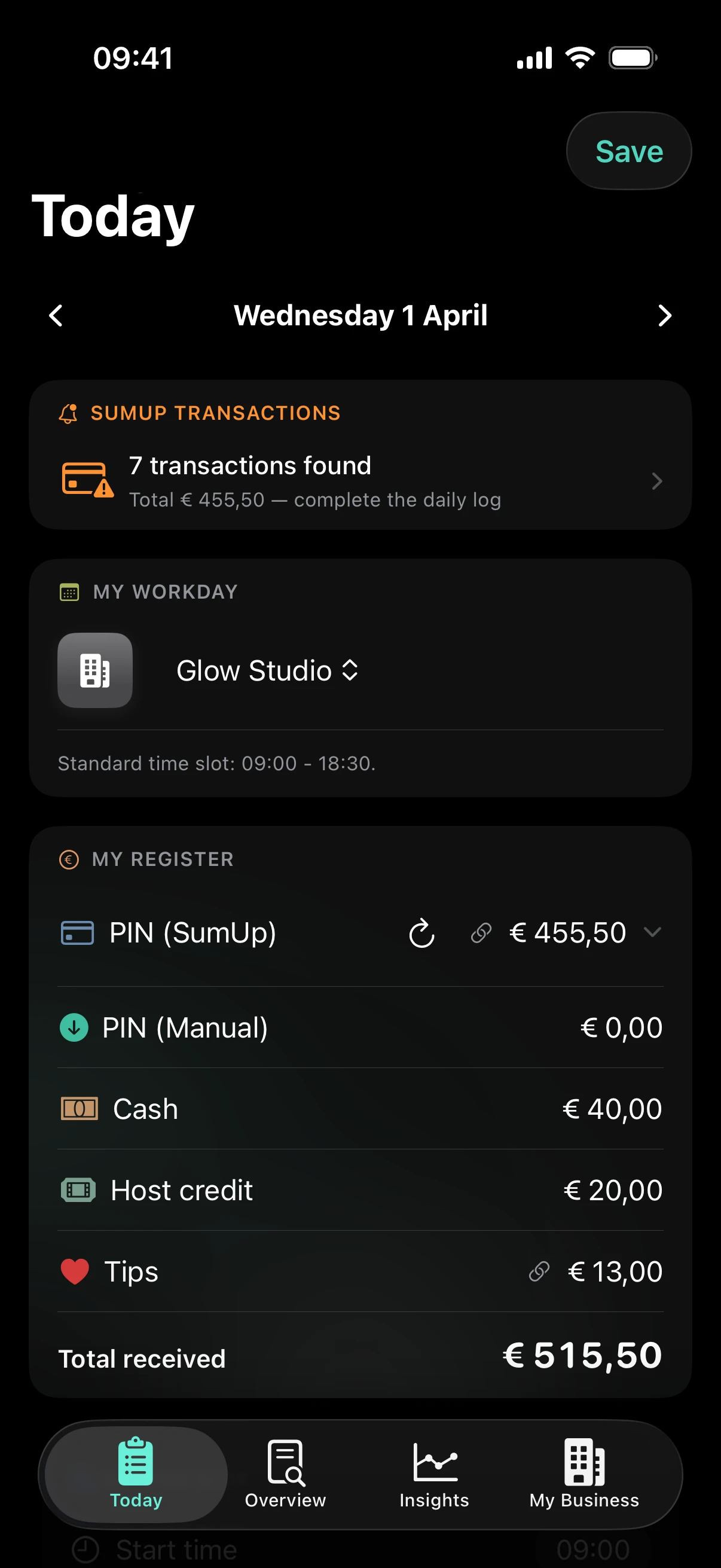
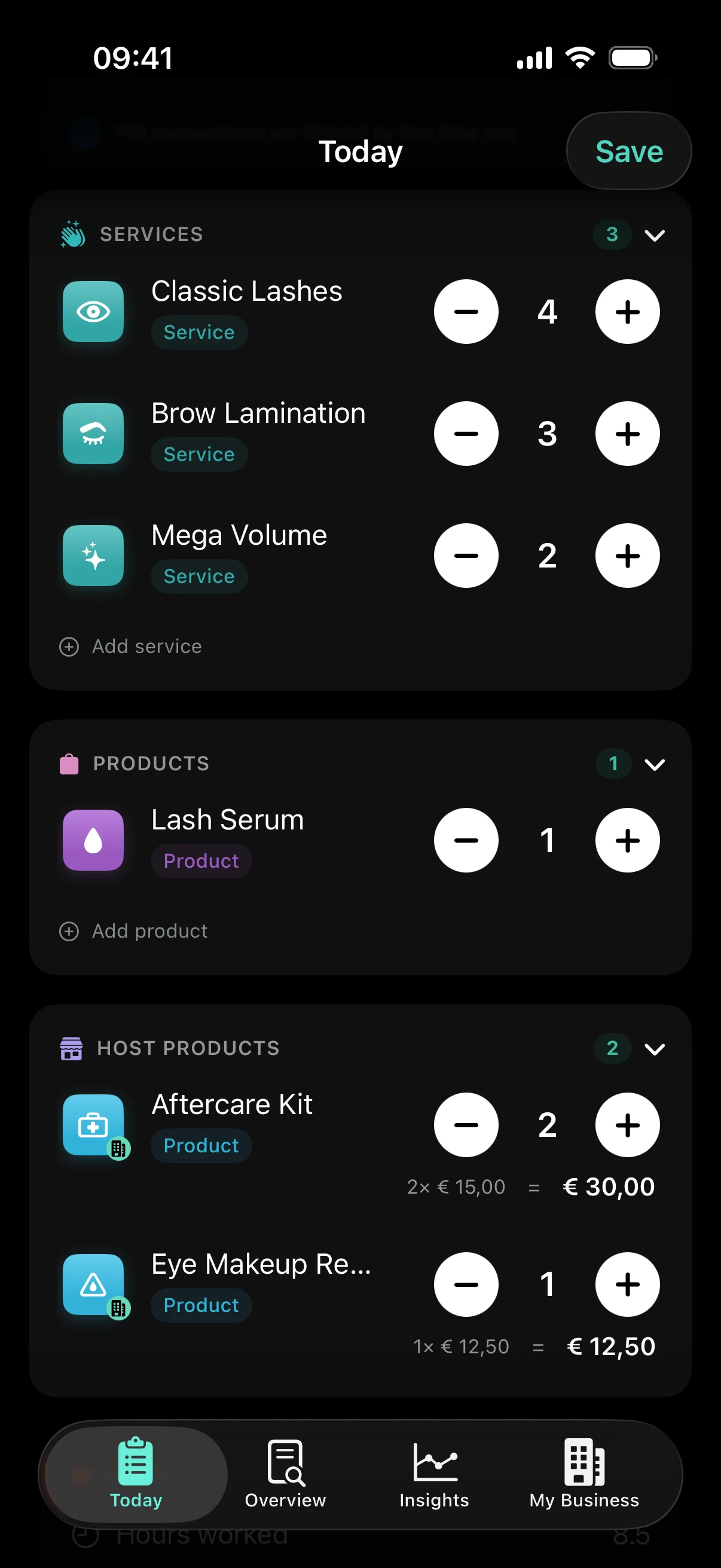
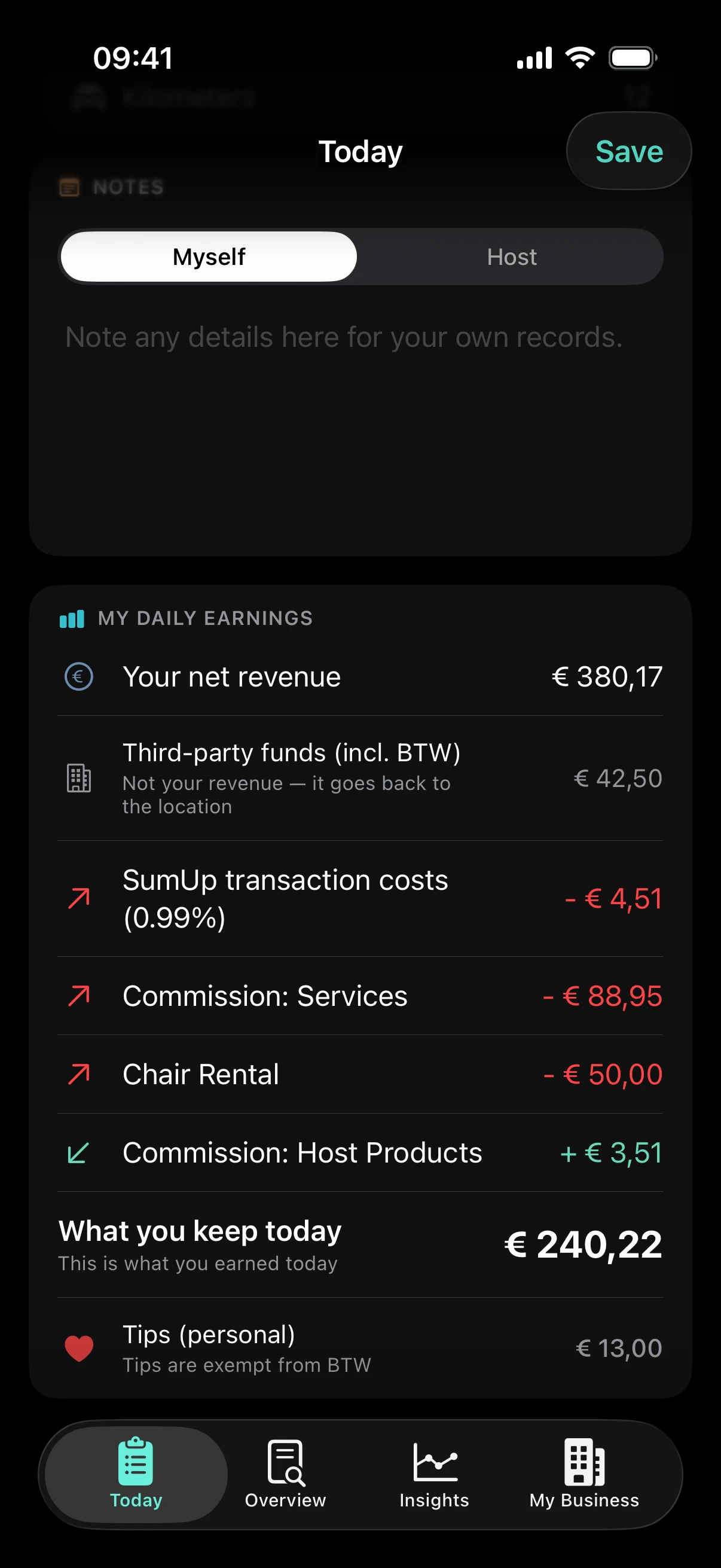
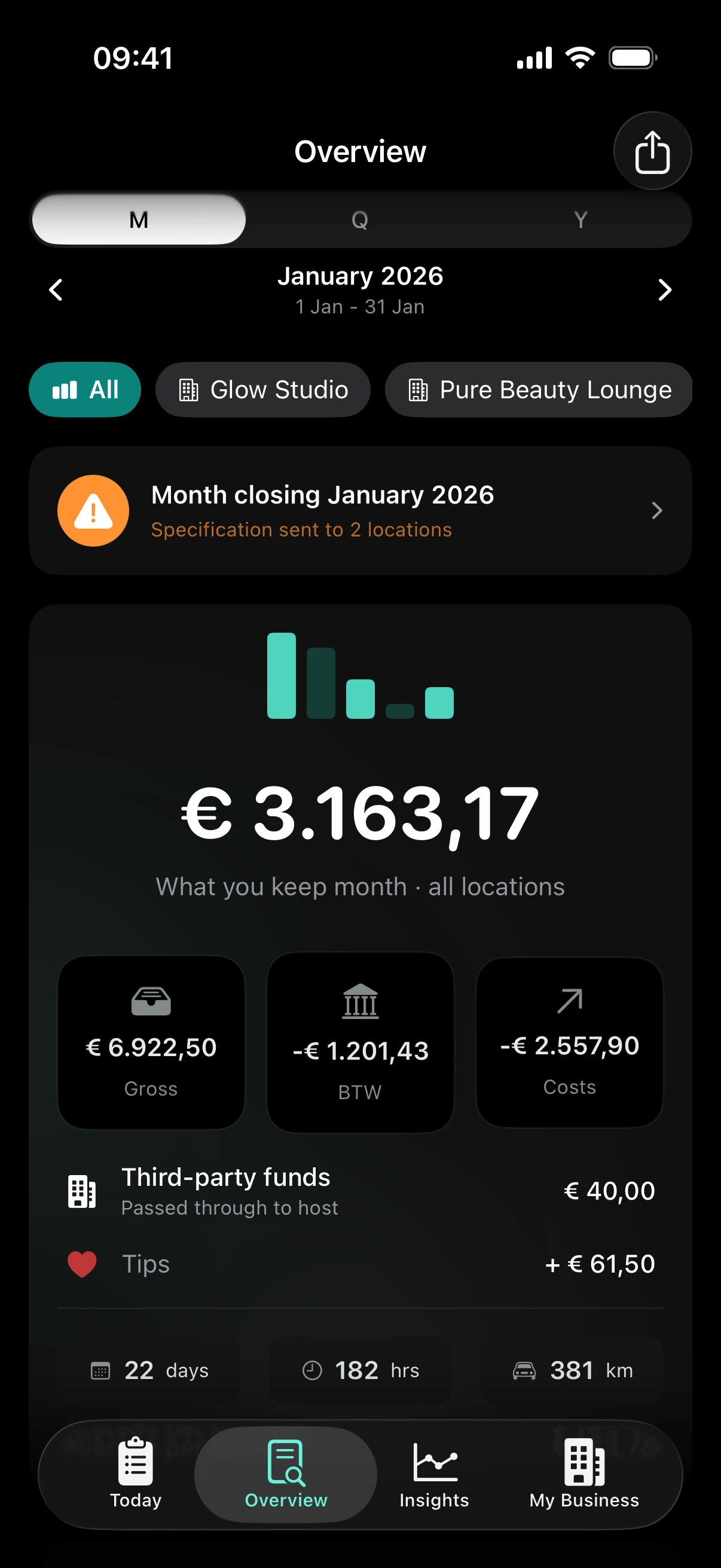
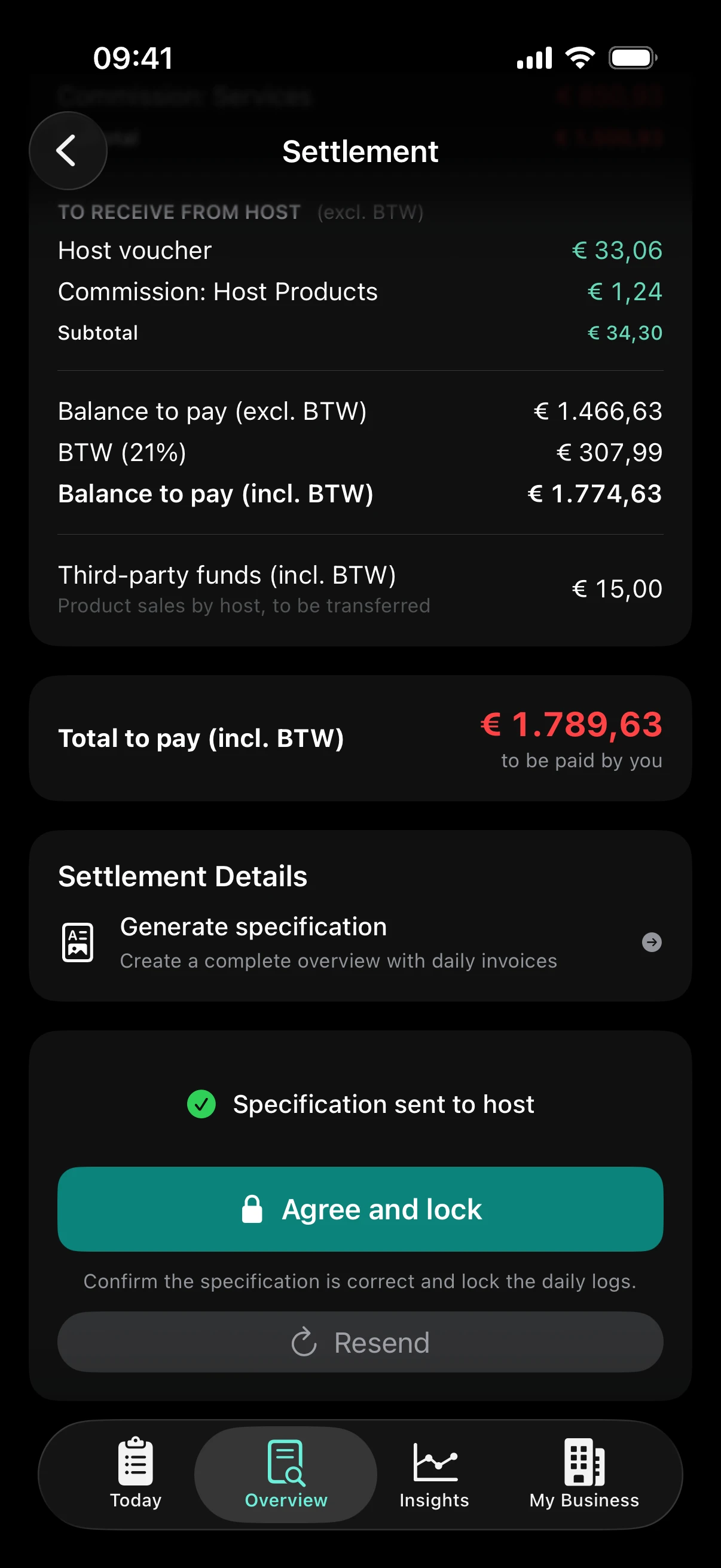
After chair rent, commission, transaction fees and BTW (Dutch VAT). You confirm what was in each payment, ZumFlo does the rest. No spreadsheets, no guessing.

It's Tuesday evening. Your last client just left. You know what came in - but what you actually take home? That's a different story every time.
It's the end of the month. You want the settlements ready for your professionals. But it takes hours - and you're never quite sure. Is this right?
You close out your workday. With a card provider linked, your card payments and tips come in by themselves, and with your calendar linked the treatments are already lined up. You confirm what was in each payment and add cash and vouchers. That's where your work ends.
You see instantly: what's yours, what goes to your salon, and what to set aside for VAT. Per day, per month, and at the end of the month in black and white for you, your salon and your accountant.
Your card payments come in by themselves. For each payment you confirm which treatment it belongs to - with Pro and your calendar linked it is usually lined up already, and you swipe to accept. Split payment, part card and part cash? Then you split the payment. Your tip is set aside automatically. Once everything is linked, you close the day and see what's yours. Net, after everything.
No more uncertainty at the end of your day. You know where you stand.
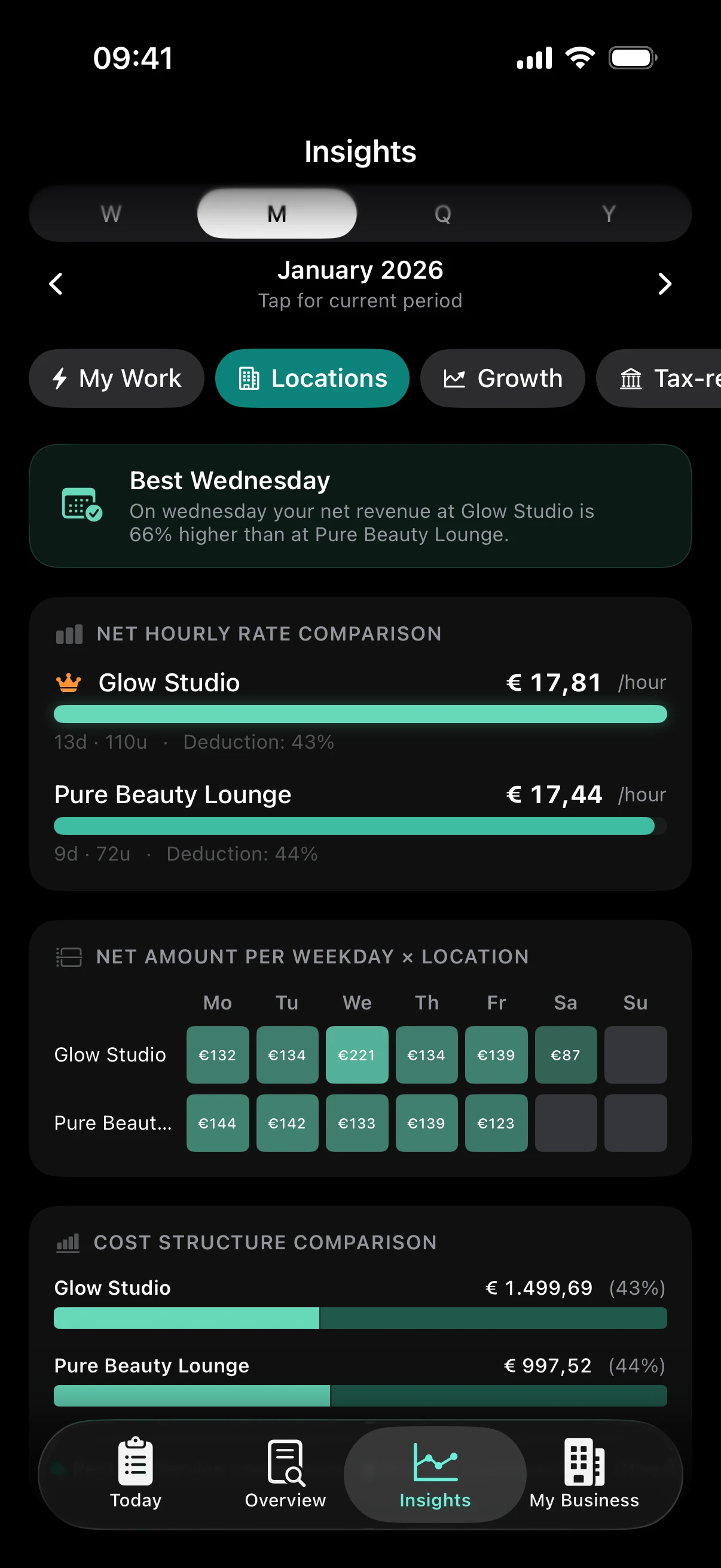
Whether you work at one location or several: for each one, ZumFlo builds your own specification day by day, according to your agreements. Even with one card terminal for all your locations: ZumFlo puts each payment at the right location straight away, based on your time slots; if it's wrong, you move it. Including everything that falls outside the salon's system, such as cash, gift vouchers and adjusted treatments. When your host sends the monthly specification, ZumFlo puts it next to yours automatically with Pro and turns it into a neutral comparison report.
No argument about who is right, but a conversation about facts.
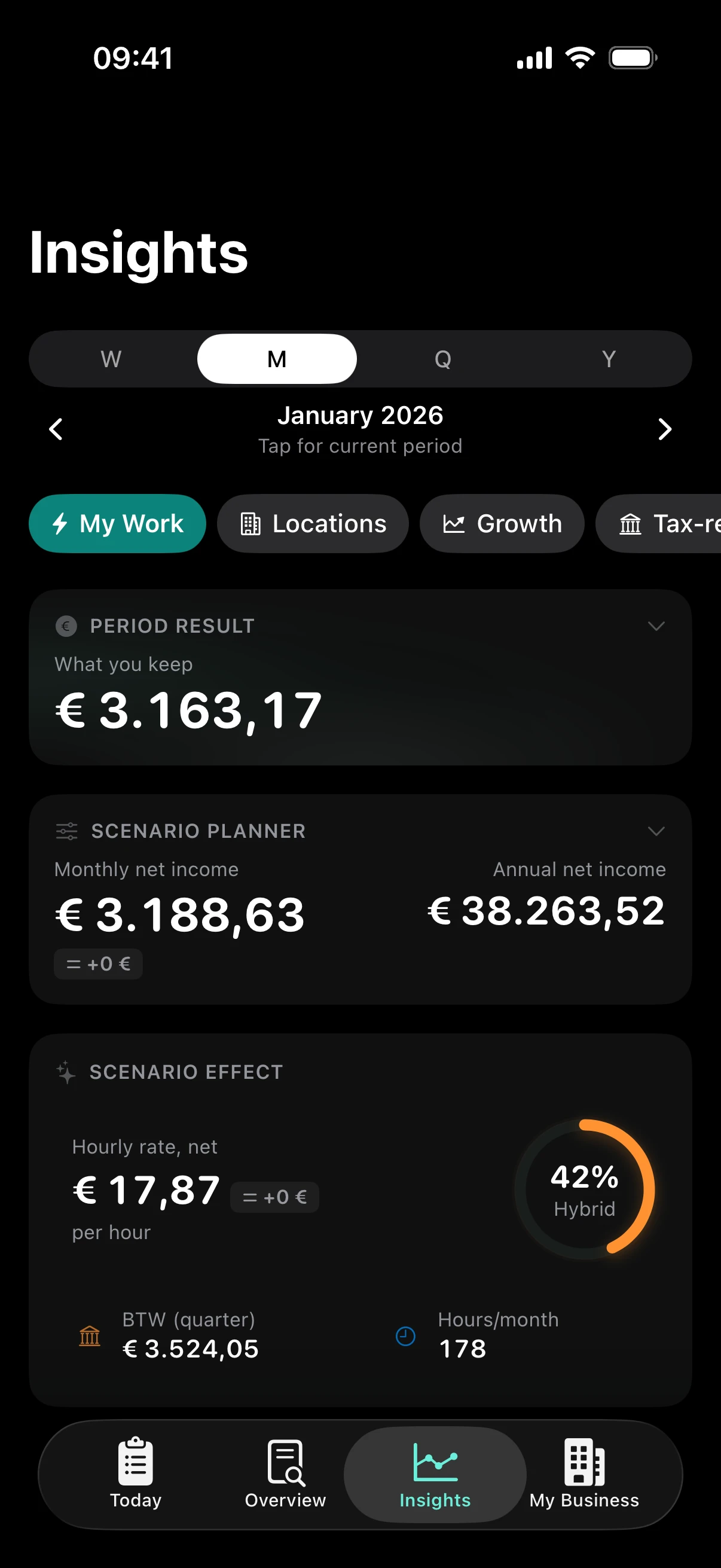
Which location is most profitable? What's your real hourly rate after all costs? What changes if you work an extra day, switch locations, or your commission changes - in euros? And with Pro and your calendar linked: how full is your coming week, and what are your free hours worth?
No more gut feeling - just decisions based on numbers.
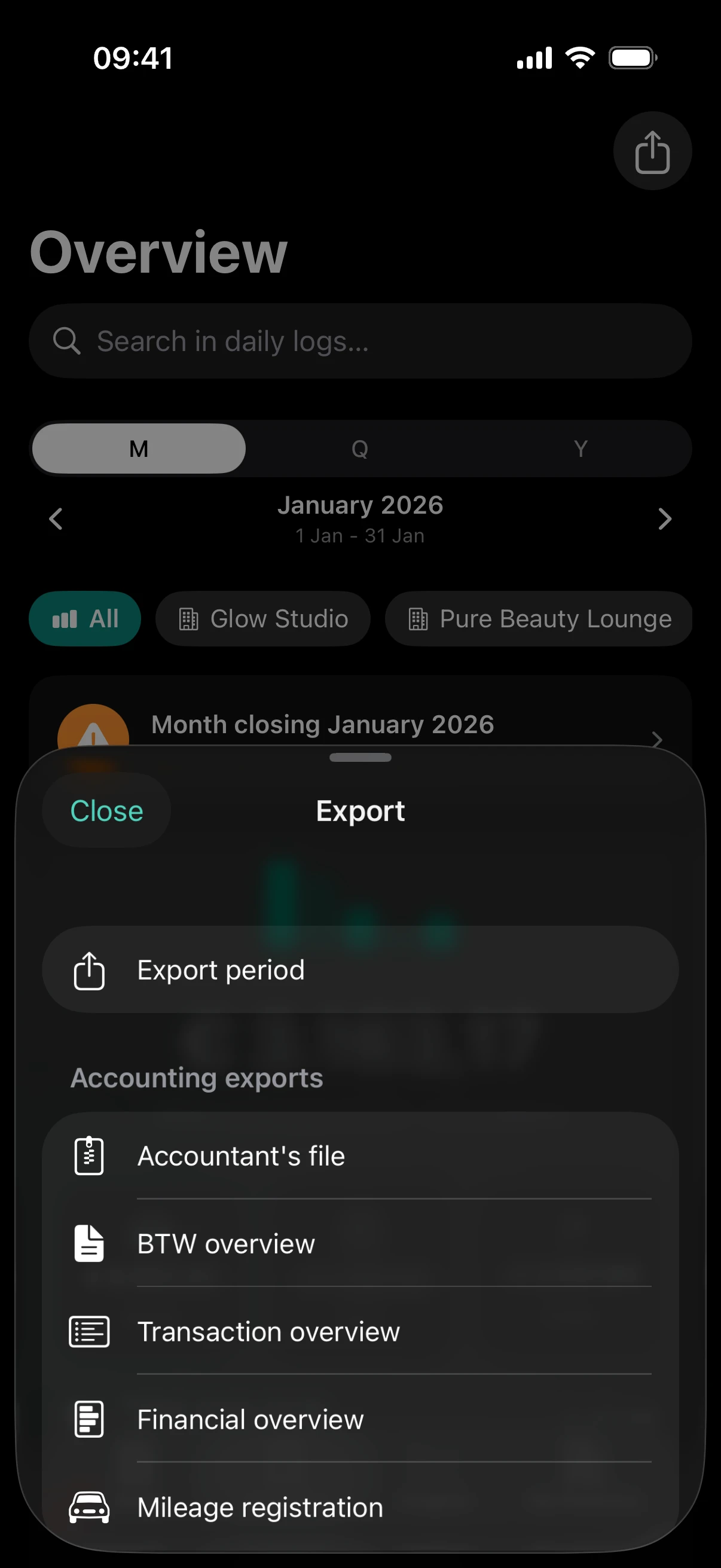
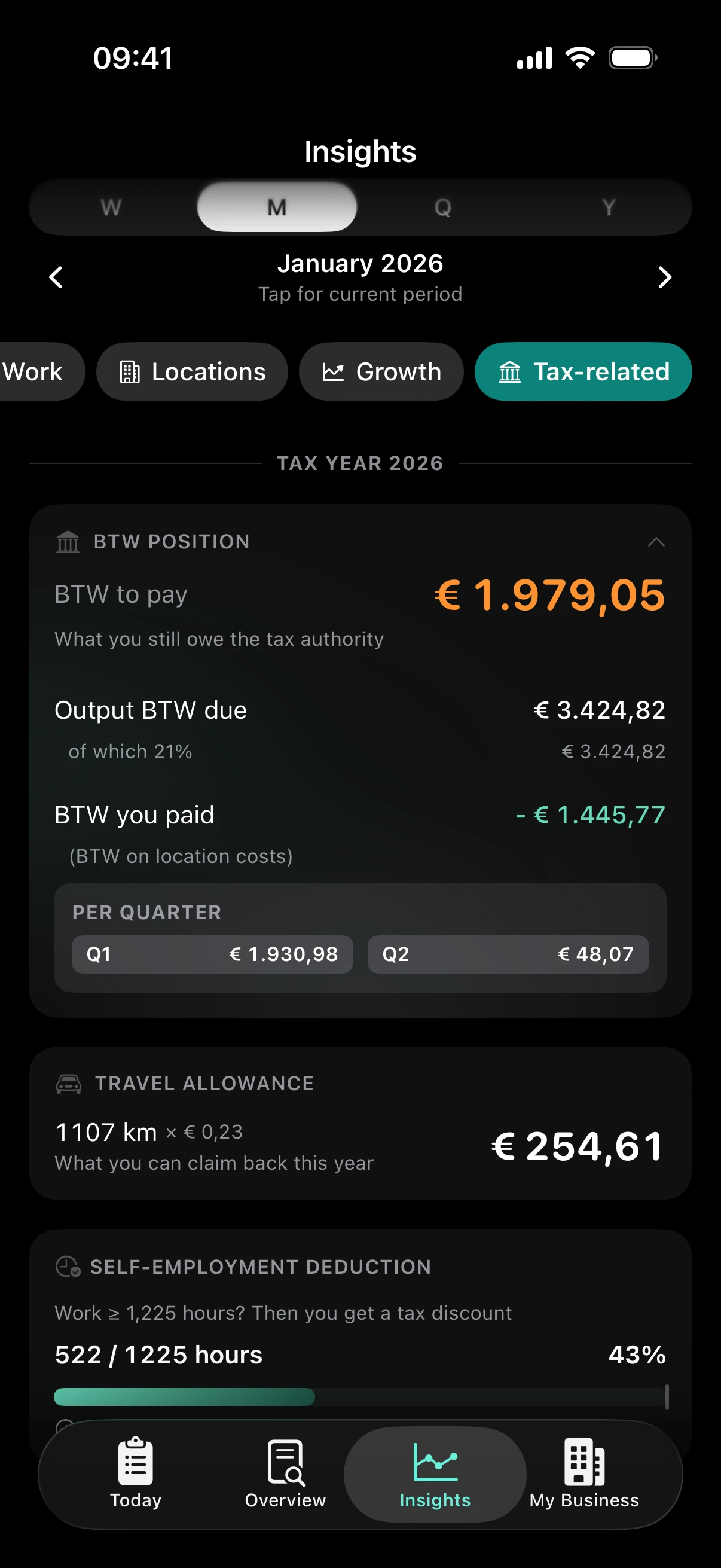
With Pro, scan your receipts and purchase invoices as they come in. At the end of the quarter, ZumFlo bundles your revenue, your BTW and your purchase invoices into an accountant's file, with an indication of your BTW position. Ready to share with your accountant, or to book in Moneybird.
You know roughly where you stand all year - not just at filing time.
Your services, your products, your financial agreements - per location. Whether you're a hairdresser working at two salons, a nail technician on a commission deal, or a barber with a fixed daily rate: ZumFlo works exactly the way your business works. Set it up once, and it just works.
Does your accountant need something, or does your host want to see the settlement? Then there is nothing left to dig up. Your reports are already complete and ready to share.
Want to see exactly how it works? The guides walk through every tab step by step, with screenshots - from your first workday to the month-end settlement with your host.
After your first workday, you know what you take home.
After a month, you close with your host and see which location earns the most.
After a quarter, your accountant's file is ready and you recognise patterns.
After a year, you have your complete financial history.
Not in scattered pieces - but in one overview. Your business, your data.
You put the settlement together from your own till system. But part of the story stays out of sight: cash, gift vouchers, a treatment that went differently than it was booked. Your professional does see it, and records it day by day in ZumFlo.
Your professional adds your monthly specification: an export from your salon system, a PDF or a photo. Using AI, ZumFlo compares it day by day with their own daily logs. Client names stay on your professional's device.
The comparison report shows how many days match, where they differ and what the total difference is. For each difference it shows what was recorded on each side: an advance payment, a salon product, a tip that only counts on one side. Neutral, without pointing fingers.
Once you agree, your professional locks the month. The figures are final, for both of you and for the accountant. That is what a professional working relationship looks like: structured, verifiable and on record.
Your financial data lives on your device and in your own iCloud. No account, no central database with your numbers. Only when you start an AI feature yourself - the settlement check, scanning a receipt or importing your price list - is that part processed externally. Read exactly how in the privacy policy.
Not a replacement for your accountant or your card terminal - the bridge between them.
Salonized, Treatwell, Booksy, Fresha - built for scheduling and bookings, not for your income.
Moneybird, Xero - strong on bookkeeping, but missing your daily context.
SumUp, PayPal POS - show what comes in, not what's yours.
Time-consuming, error-prone, and always manual.
See a lump sum from your card provider, but not what it's made up of?
ZumFlo fetches your card payments and you link them to your treatments. You see exactly which services, products and locations are behind each deposit.
Are your appointments already in the salon's calendar?
With Pro you link that calendar through a read-only calendar link (iCal), for example from Salonized. ZumFlo then lines up the treatments with your payments and lets you look ahead at your occupancy.
Still pulling everything together manually at the end of the month for your accountant?
Your revenue, costs and BTW are already broken down, and with Pro your scanned receipts and purchase invoices sit alongside. Your accountant gets what they need, without extra work from you.
Step by step: connecting SumUp · connecting your calendar · connecting Moneybird. Using a different card provider or accounting software? ZumFlo also works fully standalone.
Try ZumFlo free for 14 days with all Pro features, no strings attached. Then choose Standard or Pro.
Start now · No account needed
AI features have usage limits: 3 settlement checks (Pro) per location per month and 25 scans per month, shared across receipts, invoices, price cards and online price-list lookups. Trial period: 1 check per location per month and 10 scans in total.
| Feature | Standard | Pro |
|---|---|---|
| Real-time net result calculation | ✓ | ✓ |
| Insights & dashboards | ✓ | ✓ |
| Advanced trend analysis | ✓ | ✓ |
| Net hourly rate & location comparison | ✓ | ✓ |
| Scenario planner | ✓ | ✓ |
| Tax overview: BTW position, travel costs & self-employed deduction* | ✓ | ✓ |
| PIN integration (SumUp & PayPal POS) | ✓ | ✓ |
| Automatic income & expense rules | ✓ | ✓ |
| Import your price list automatically (online or price card) | ✓ | ✓ |
| Exception rules per service | — | ✓ |
| Stepped pricing | — | ✓ |
| Work locations | up to 2 | ∞ |
| Settlement & closing | ✓ | ✓ |
| Export reports | ✓ | ✓ |
| Quarter and year overview | ✓ | ✓ |
| Reports in 10 languages | ✓ | ✓ |
| App lock with Face ID & encrypted backup | ✓ | ✓ |
| Works on iPhone and iPad | ✓ | ✓ |
| Accounting link (Moneybird) | — | ✓ |
| Accounting exports (BTW & more) | — | ✓ |
| Settlement check vs host | — | ✓ |
| Receipt & invoice scanning | — | ✓ |
| Calendar link (pre-fills your daily log) | — | ✓ |
| Forecast & occupancy | — | ✓ |
* With Pro, input VAT from your purchase invoices is included in your BTW position too.
Spot one difference in your settlement in time, and your subscription has already paid for itself.
Received an overview from a professional? Here is how it works for you as a salon owner.