Forecast

Most of ZumFlo records what has already happened. Forecast does the opposite: based on your calendar, you see where there is room in your week, and what that room could earn you. An empty gap becomes an amount.

Most of ZumFlo is about recording what has happened: your daily log, your settlement, your records. The Insights tab does something different - it gives you your own numbers back in a way you can actually use. And the part that looks forward instead of back is Forecast.

The core idea is simple: based on your connected calendar, Forecast shows how full your days are, where you have room, and - perhaps most useful of all - what that room means in euros. An empty gap in your calendar becomes an amount, and an amount prompts action. Forecast is part of Pro and needs your calendar connection.
See at a glance where you have room

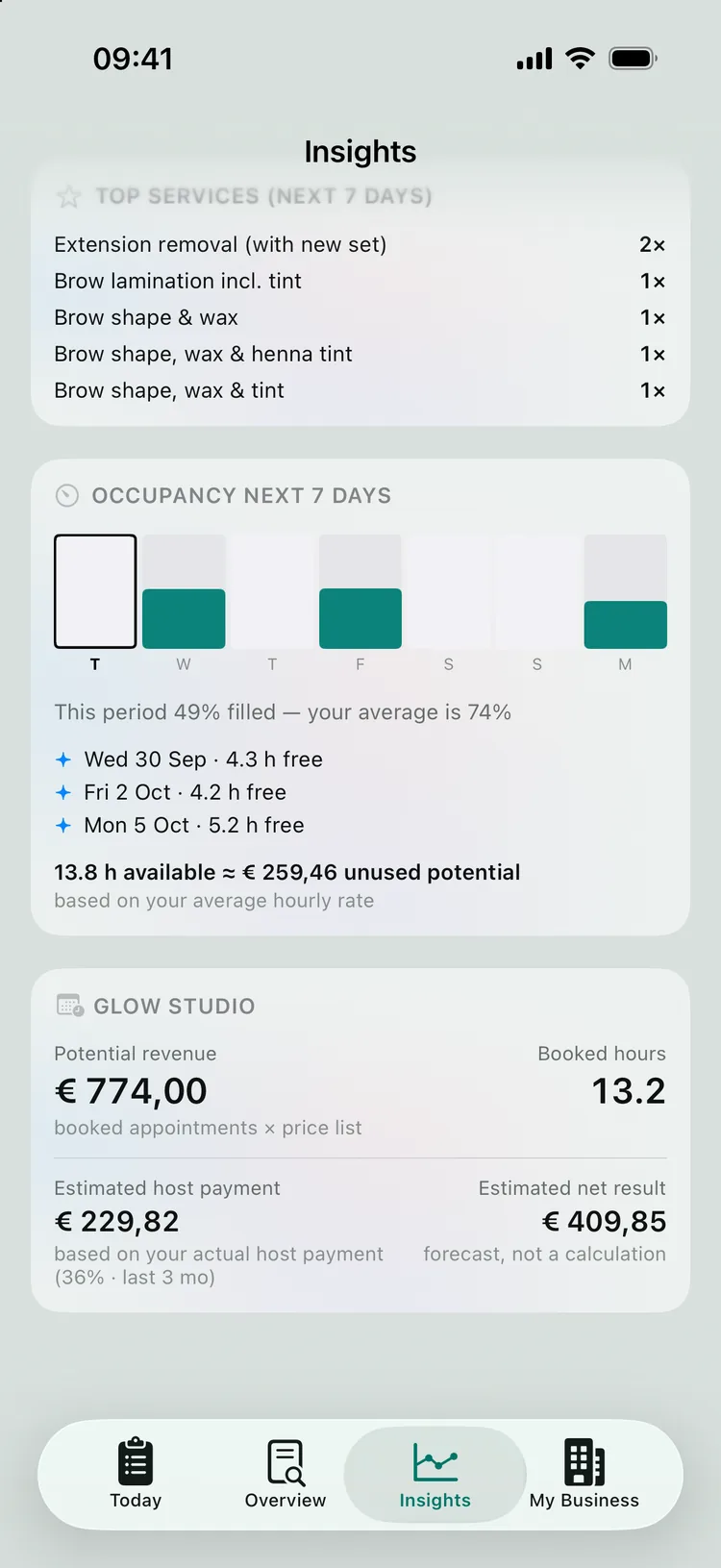
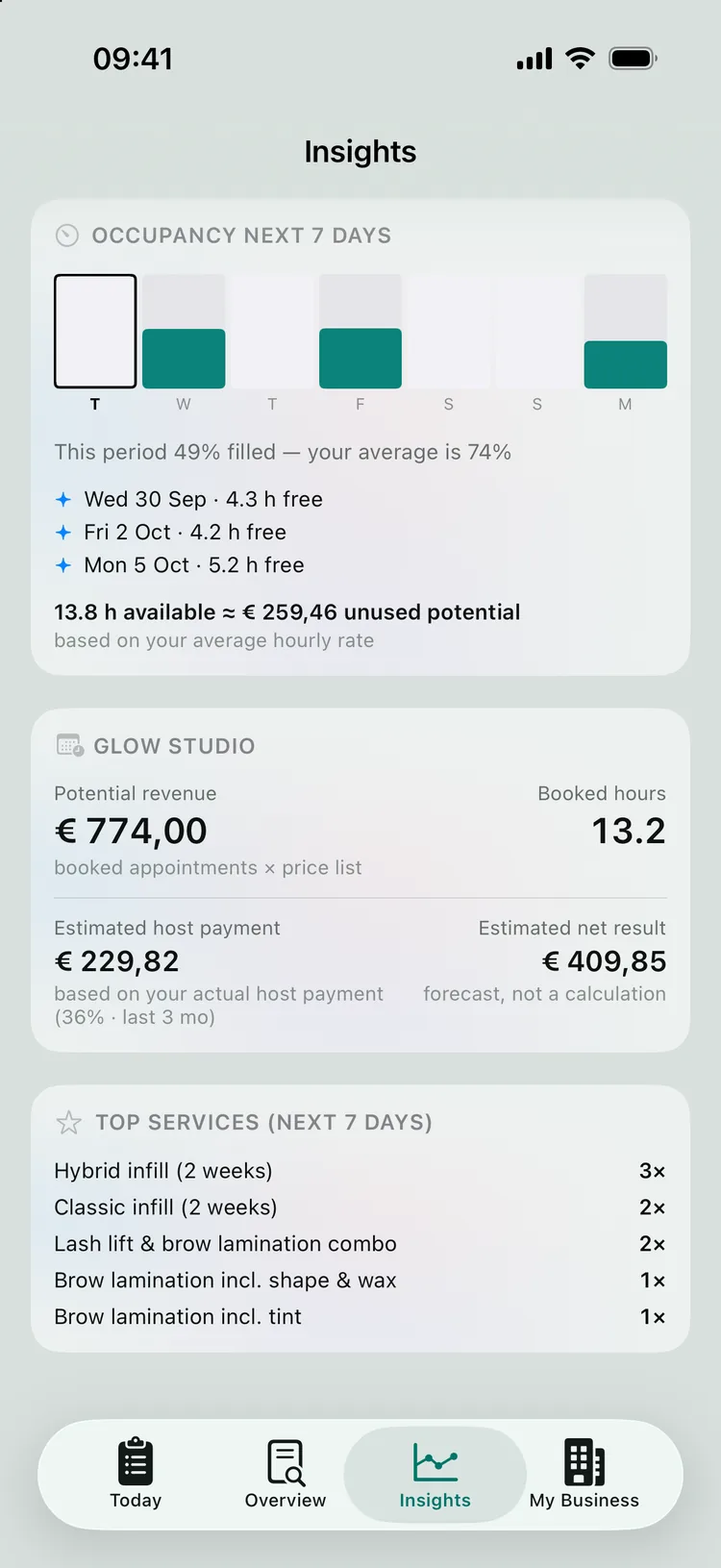
At the top you choose a period - week, month, quarter or year - and the whole tab adjusts. You see a strip of your days (or weeks), showing for each day how full it is compared with what a normal working day is for you. Below that, your gaps are phrased not as a shortfall but as an opportunity: “Wed 30 Sep · 4.3 h free”, “Fri 2 Oct · 4.2 h free” (and on a day with no bookings at all: “free all day”). So you see straight away where a promotion or an extra booking pays off.

ZumFlo learns by itself which days are your working days, from your own calendar history - you don’t need to set up a schedule. A day on which you normally don’t work doesn’t count as a false gap. And the other way round: a day with a booking is always shown. That keeps the picture honest.

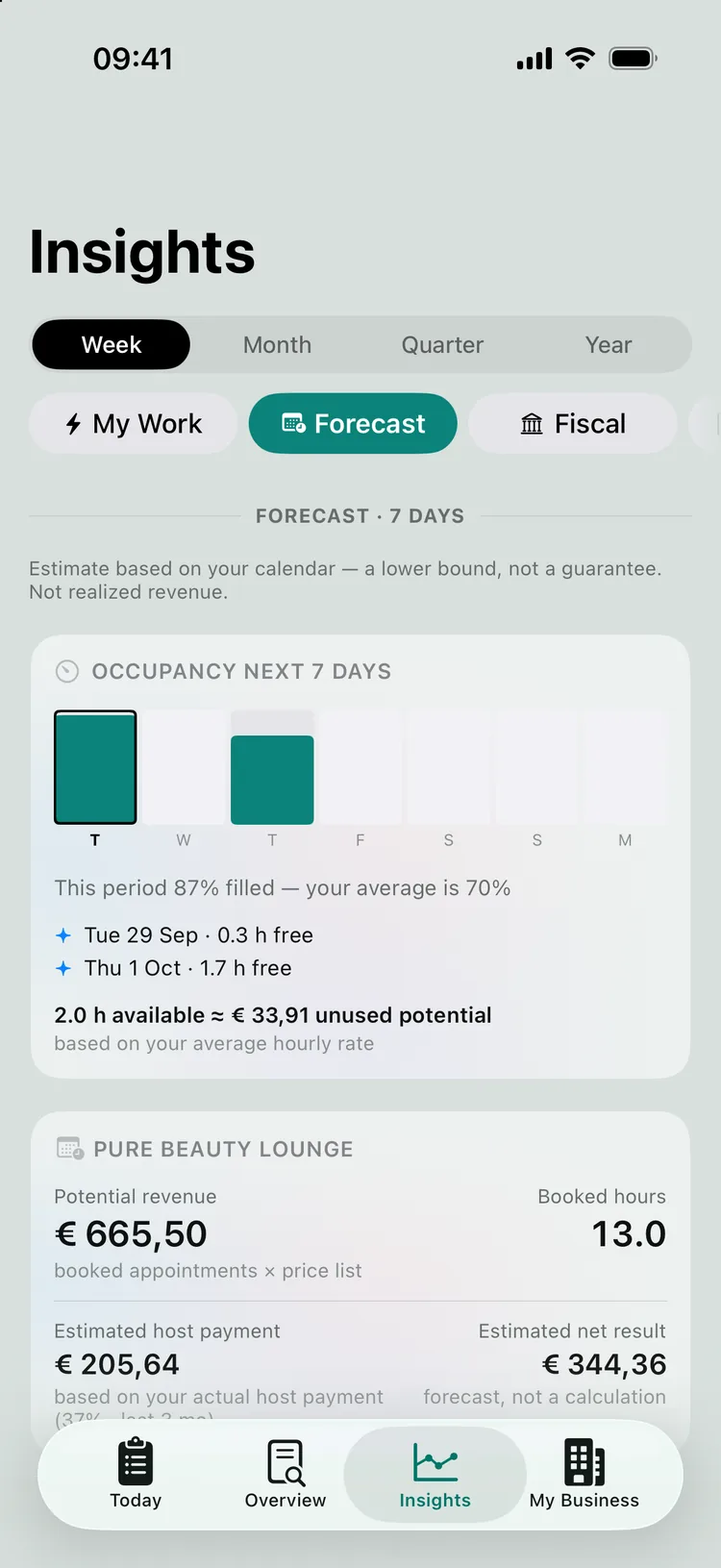
Occupancy for the next seven days, with the free hours per day shown as an opportunity and the unused potential.
Your busy and quiet days at a glance - free time as an opportunity, not a shortfall.

What your free hours are worth

This is where Forecast gets you moving. Your free hours are multiplied by your own actual net hourly rate - a figure ZumFlo already knows from your closed months. The result: “13.8 h available ≈ € 259,46 unused potential”. The same idea runs through the financial projection card: your Potential revenue (your booked appointments at your price list prices), an Estimated host payment (your actual host payment ratio applied to that revenue) and the Estimated net result that follows from it.

Important: this is a forecast based on your own history, not a new accounting calculation - and it is labelled that way too (“based on your actual host payment”, “forecast, not a calculation”). It automatically becomes more accurate as your history grows. If you don’t yet have enough closed months, ZumFlo deliberately leaves these amounts out - better nothing than a figure based on a single week.

The projection for Glow Studio: potential revenue, booked hours and a labelled estimate of host payment and net result.
Your free hours as an amount - and an honest, labelled forecast of your net.

Busy or quiet - compared with yourself

One line gives you instant context: “This period 49% filled — your average is 74%”. Your occupancy is compared with your own average over the same kind of period, so you know whether a quiet week is genuinely quiet or simply normal for you. If you work at more than one location, you see this per workplace - useful when you need to choose where your hours are best spent.

Occupancy per location with the comparison line: this period 87% filled, your average is 70%.
Your occupancy set against your own average - context in a single sentence.

Encouraging, never reproachful

Forecast is deliberately calm in tone. An empty day is an opportunity, not a mistake: no notifications that you supposedly “forgot” something, no wagging finger. You simply see where there is room in your week and what that room is worth - and what you do with it is up to you. That helps you think ahead instead of working things out after the fact: where does a promotion pay off, which clients could you invite back for a follow-up appointment, and on which days do you prefer to work.

Want to look ahead at the tax side rather than your calendar? That lives elsewhere in Insights, under Fiscal, with your estimated BTW (Dutch VAT) position - read more about it in quarter- and year-end closing. And to get Forecast working, first connect your calendar.

Frequently asked questions about Forecast

Yes. Forecast works on your scheduled appointments, so it comes to life as soon as you have connected your calendar (Pro). Without a calendar, the rest of Insights keeps working on your actual numbers, but Forecast itself needs your bookings.

Potential revenue is the sum of your booked appointments at your price list prices. For the estimate of your host payment and net, ZumFlo applies your own actual ratios - your host payment ratio and net margin from recent months. It is a forecast based on your own history, not a new calculation, and it is labelled as such.

No. An empty day is an opportunity, not a mistake. Forecast uses no alarm or guilt language and sends no notifications suggesting you forgot something - it calmly shows where there is room, so you can choose.

See where there is revenue to gain.

Your calendar tells you more than just who is coming in. Forecast turns your free time into an amount - so you know where taking action pays off.

ZumFlo gives independent professionals insight into their occupancy, their potential and their net result.

Download on the App Store
© 2026 Sub37 Labs. All rights reserved. Use of this text without permission is not permitted.