Quarter- and year-end closing

Every month you settle up with your host. Every quarter - and at the end of the year - you shift your focus to your own tax picture and your accountant. ZumFlo bundles your figures into one accountant’s file: indicative, supportive, and ready to share.

Where month-end closing revolves around your host, the quarter revolves around your own tax picture and your accountant. Around the time of your BTW (Dutch VAT) return, ZumFlo bundles your figures into an accountant’s file: your revenue and BTW neatly broken down, plus your recorded purchase invoices with their BTW breakdown. One file, ready to share - no more shoebox.

Important, and honest, up front: ZumFlo is not an accounting package. Everything you see here is indicative and supportive, meant to take work off your hands and your accountant’s - never a final tax return. Your accountant assesses deductibility and files the return. The accountant’s file is part of Pro. Your estimated BTW position in Insights is available in every plan; if you keep track of your purchase invoices (Pro), the picture becomes more complete.
Close your months first

The quarter builds on your closed months. So make sure the three months of the quarter are properly finalised and locked, so you’re working with settled figures. If a month is still open, close it first - including the settlement with your host. How that works is explained in month-end closing.

Check your BTW position in Insights → Fiscal

In the Insights tab, under Fiscal, you’ll find your estimated BTW position for the quarter. The structure is the same the world over: the BTW you owe on your revenue, minus the input BTW - the BTW you paid yourself on your business costs - gives your estimated balance: to pay, or to get back.

ZumFlo deliberately shows that input BTW in two layers: the BTW from your settlement with the host (relatively firm) and the BTW from your own purchase invoices (indicative, because it depends on what you record). For the latter you can see how many invoices have been counted - your completeness signal. If receipts are missing, your balance looks higher than it really is; ZumFlo tells you so honestly.

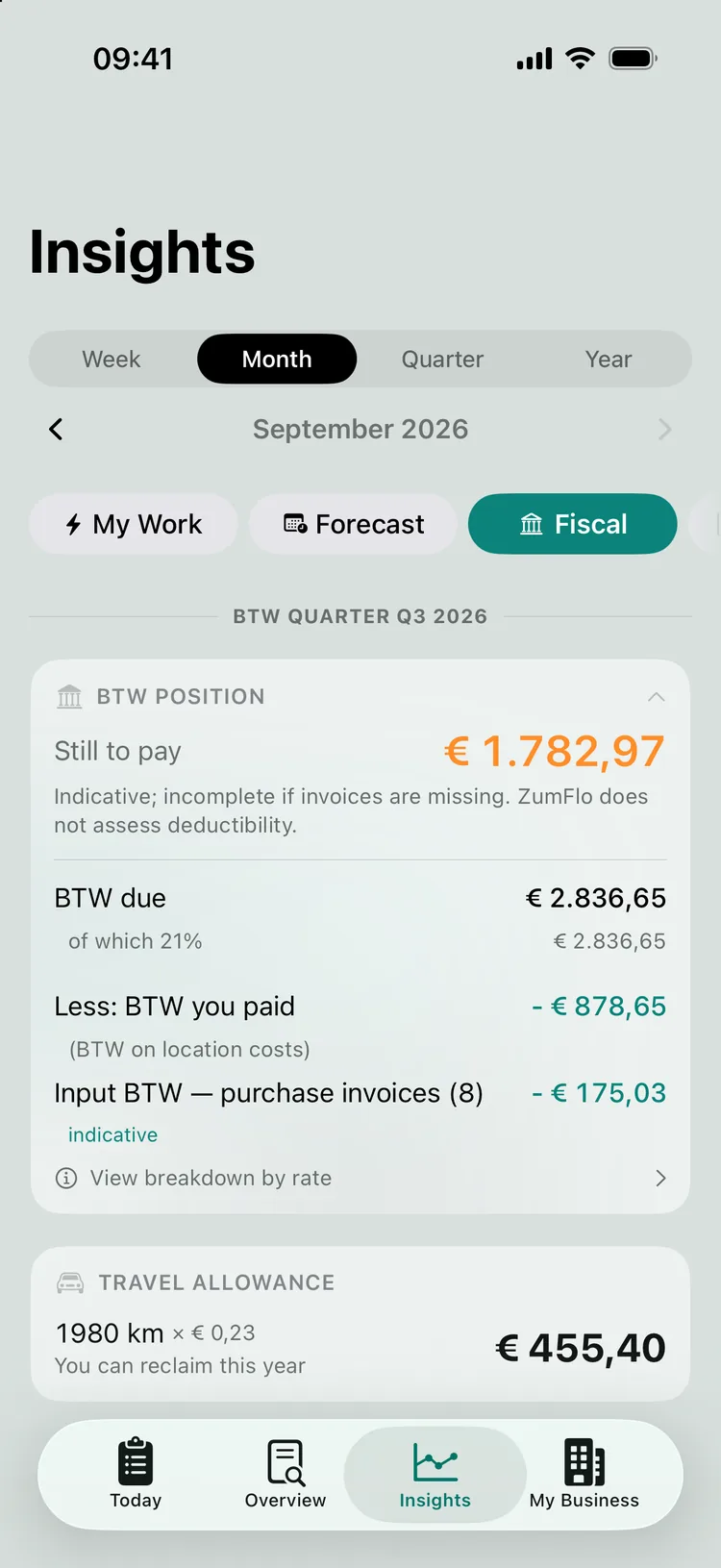
The expanded BTW position: the BTW due, less the BTW you paid on location costs and the input BTW from purchase invoices, with the estimated balance still to pay.
BTW owed minus input BTW - with your purchase invoices as a separate, indicative line.

Make sure your purchase invoices are complete

The input BTW on your own costs - materials, equipment, software, training - counts towards your BTW position. That side is only as complete as you make it. So it pays to scan and keep track of your receipts and purchase invoices throughout the quarter, so you don’t have to chase anything at the end.

Two things to know: only confirmed invoices count towards the estimate (you quickly check a scanned receipt before confirming it), and ZumFlo does not assess whether an invoice is deductible. Some costs are only partly deductible; your accountant decides on those. ZumFlo adds up the BTW paid and flags where attention is needed - nothing more.

Generate and share your accountant’s file

Once your months are closed and your receipts are in, you bundle the quarter into your accountant’s file. It contains your BTW overview, a Transaction overview and Financial overview, your mileage registration, and - the biggest time-saver for your accountant - the list of your purchase invoices, neatly broken down per BTW rate. You get it as PDF and CSV, bundled in a single ZIP file, so your accountant can take over the figures directly without retyping anything.

This is exactly the “shoebox solved” promise, but at the moment it matters: tax return time. You share the file with your accountant and keep the overview yourself.

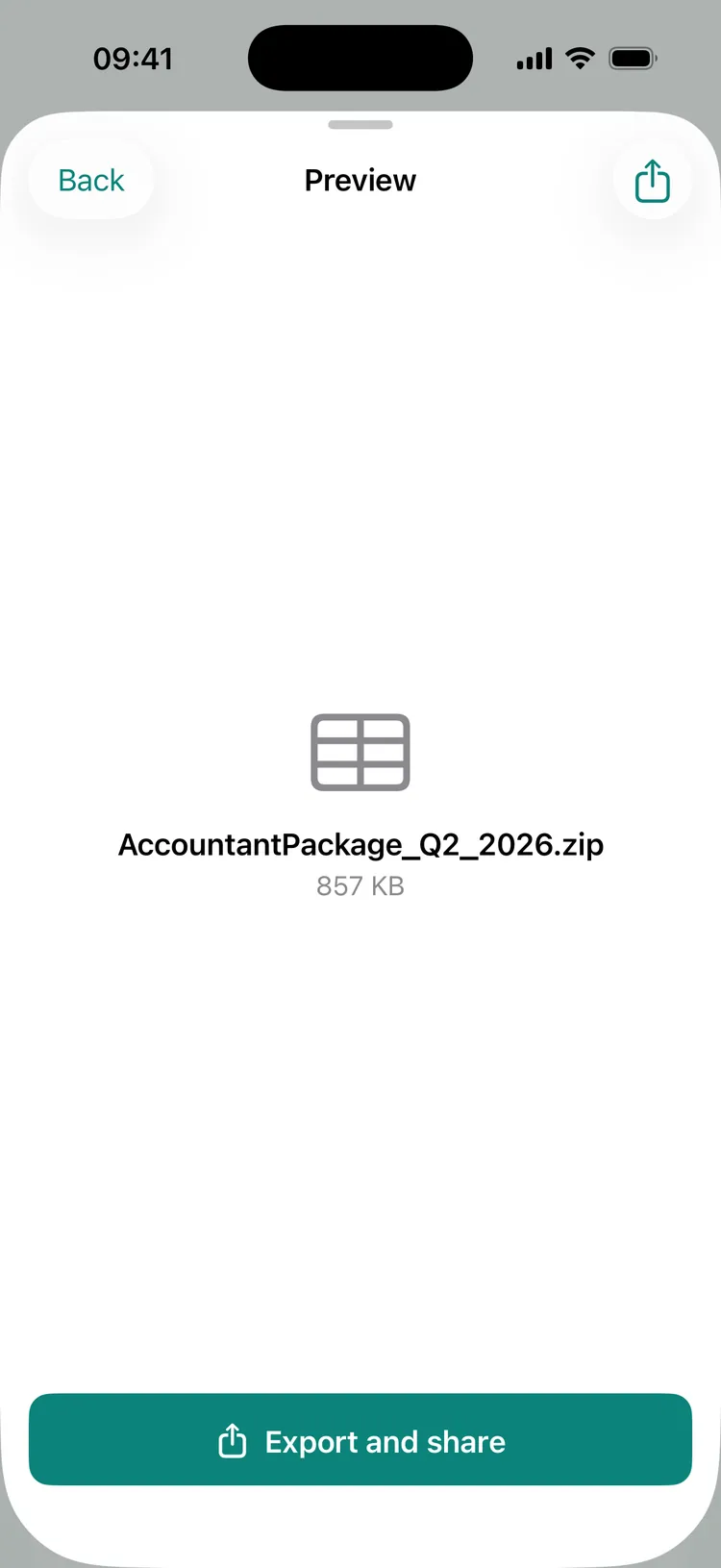
The generated accountant’s file for the second quarter, ready to export and share.
One file - PDF and CSV - ready to share with your accountant.
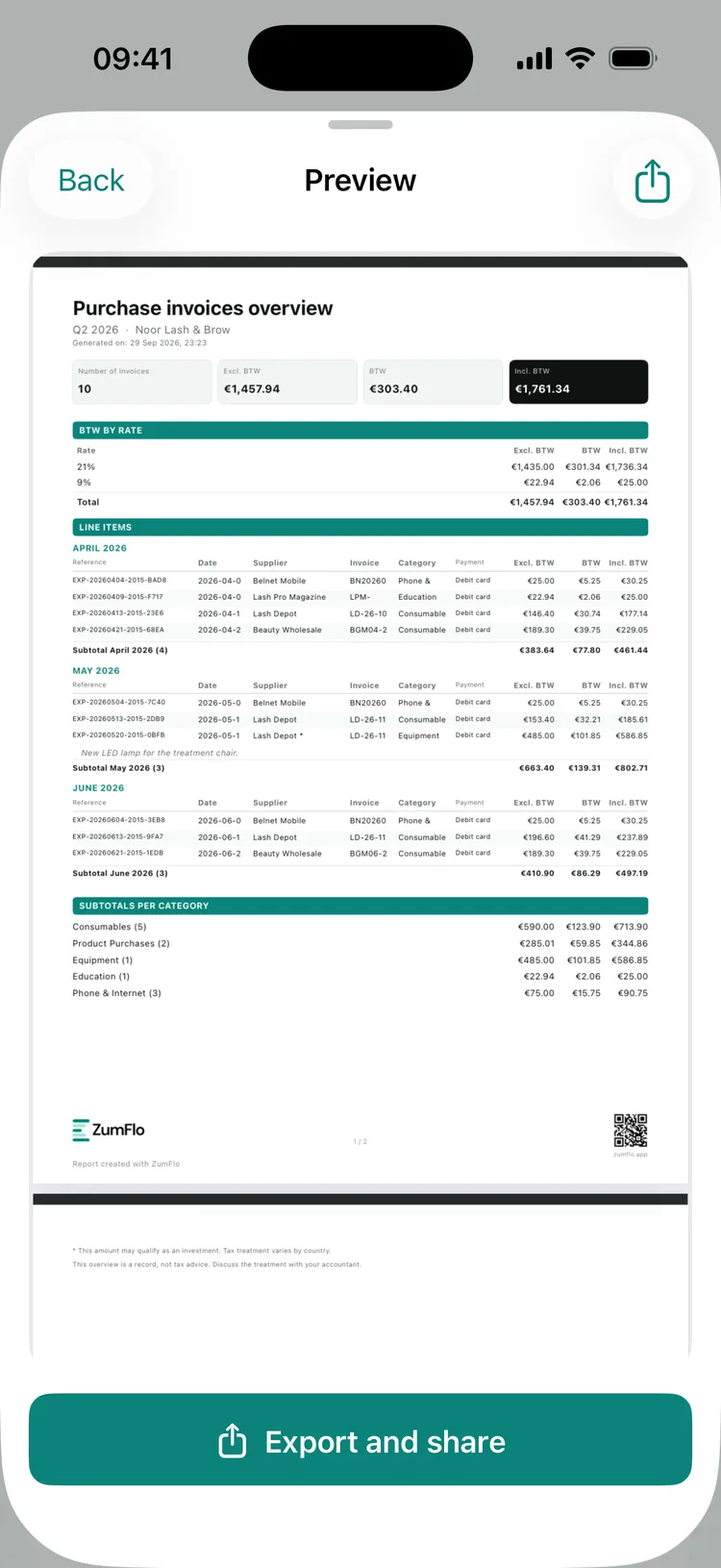
The purchase invoices overview for the second quarter: BTW per rate (21% and 9%), the invoices per month and the subtotals per category.
The cost side, broken down per BTW rate - exactly what your accountant is waiting for.

Close the year

At the end of the year one more layer is added. ZumFlo bundles the same structure into an annual overview - the same file, but covering twelve months, with your quarters side by side. That is your starting point for your year-end accounts and your income tax return, and again something you share with your accountant in one go.

Here too: it is a complete and clear starting point, not a final verdict. The tax treatment remains your accountant’s job; ZumFlo makes sure all the building blocks add up and are in one place.

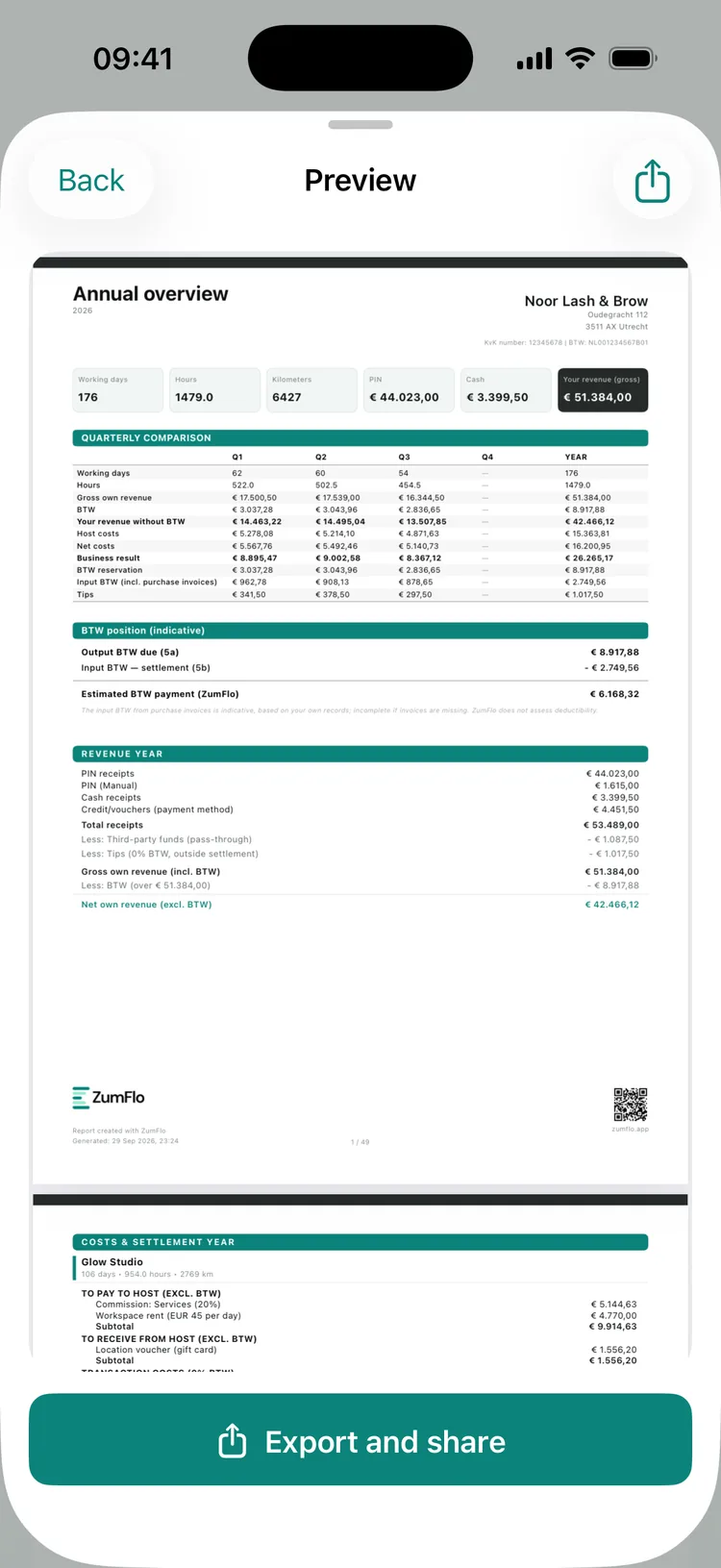
The annual overview with the quarters side by side, the BTW position and the revenue for the year.
The year at a glance - your quarters side by side.

Indicative, and deliberately so

Everything on this page is an indication based on what you have recorded. If receipts are missing, the picture is incomplete; ZumFlo doesn’t assess deductibility. For your final tax return you work together with your accountant - which is exactly what this file is made for: it gives you an honest picture of where you stand all year round, instead of a surprise only when the return is due. What else your bookkeeping as a chair renter involves is explained in bookkeeping as a chair renter.

Frequently asked questions about quarter- and year-end closing

No. ZumFlo bundles your revenue, your BTW and your recorded purchase invoices into a file your accountant can start working with straight away. The figures are indicative and supportive; your accountant assesses deductibility and takes care of the final tax return.

An estimate of the BTW you owe on your revenue, minus the input BTW on your business costs - both from your settlement with the host and from your own purchase invoices. The balance is indicative and becomes more complete the more receipts you record.

The input BTW on your own costs counts towards your BTW position. Without your purchase invoices your balance looks too high. The more completely you keep track of your receipts, the sharper the estimate.

From daily log to tax return, in one line.

Your working days become months, your months become a quarterly and annual file - with your BTW position always in view. Ready for your accountant, without retyping.

ZumFlo bundles your revenue, BTW and purchase invoices into an accountant’s file you share in one go.

Download on the App Store
© 2026 Sub37 Labs. All rights reserved. Use of this text without permission is not permitted.