My Business is where you set up ZumFlo once, to match the way your business works. It’s the quiet side of the app: you mostly visit it when you start, and after that only now and then when something changes. What you set up properly here carries through your entire calculation - your daily log, your net result and your settlement. The step-by-step setup is in getting started; this page shows what you set up where.
Your profile
Who you are and where you work
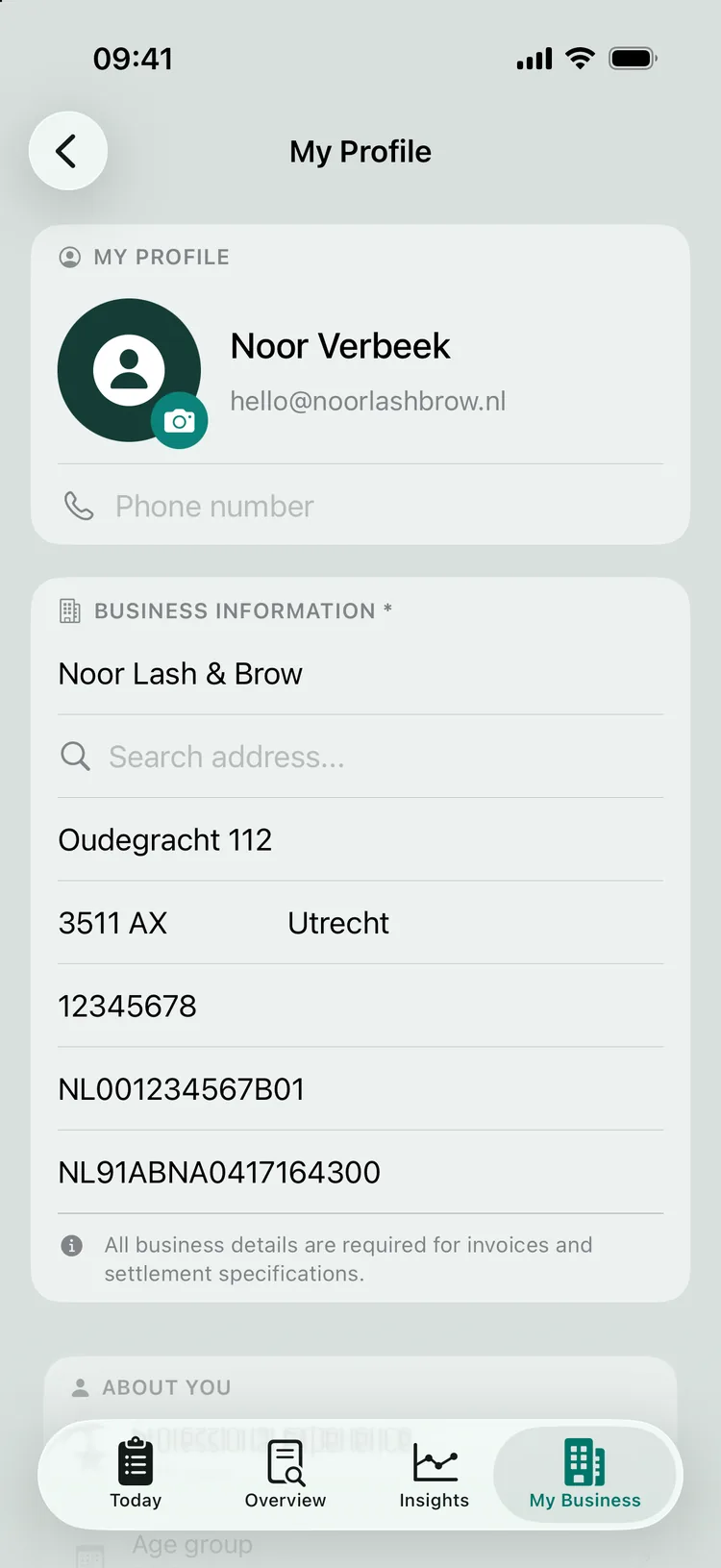
Your profile holds your personal and business details - company name, address, KVK (Chamber of Commerce) number, BTW (Dutch VAT) number and IBAN. These appear on your settlement statements and reports, so keep them up to date. You already chose your country of tax registration and your trade (hairdresser, barber, beauty, nails, pedicure) when you started. The country determines the rules the app uses: the BTW system, the mileage allowance and the working week. The trade determines which service and product categories ZumFlo sets up for you in advance. You set your report language separately via Settings → Report settings - even separately for your own overview and your settlement - handy if your host or accountant speaks a different language.
Your locations
Your hosts and the financial agreements
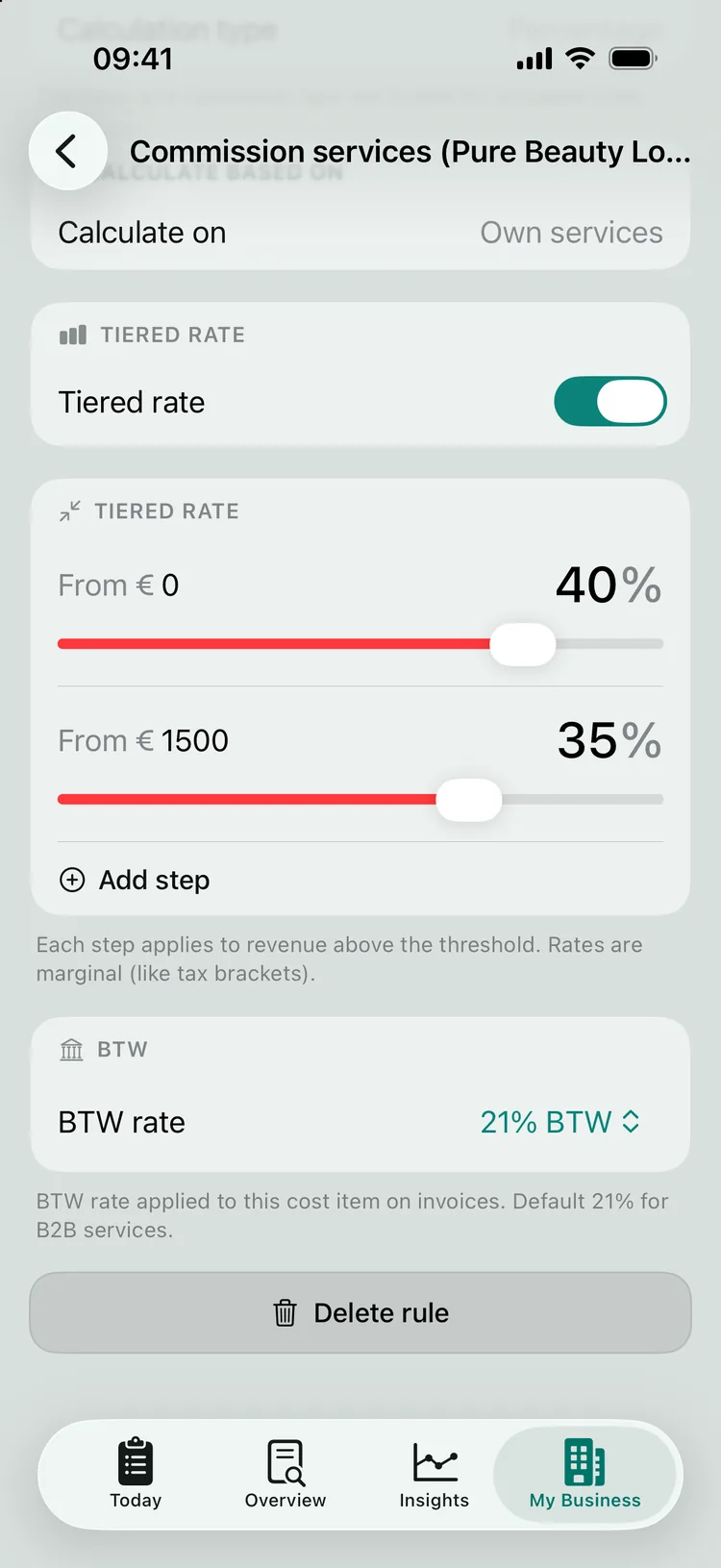
For each host (the salon where you rent a workspace) you record the financial agreement as you made it with the owner: workspace rent (a fixed amount per day), commission (a percentage of your revenue), or a hybrid combination. Finer-grained agreements are possible too: tiers (for example a lower percentage above a certain amount, per month, quarter or year) and a BTW classification per cost item - tiers and per-service exceptions are part of Pro. Unsure about the agreements themselves? Then setting up your collaboration properly will help.
If you work at more than one salon, you add them all here, each with its own agreement - unlimited with Pro, up to two with Standard. ZumFlo keeps them completely separate - right through to the settlement and the reports per location.
Your services and products
Your treatments and products, properly organised
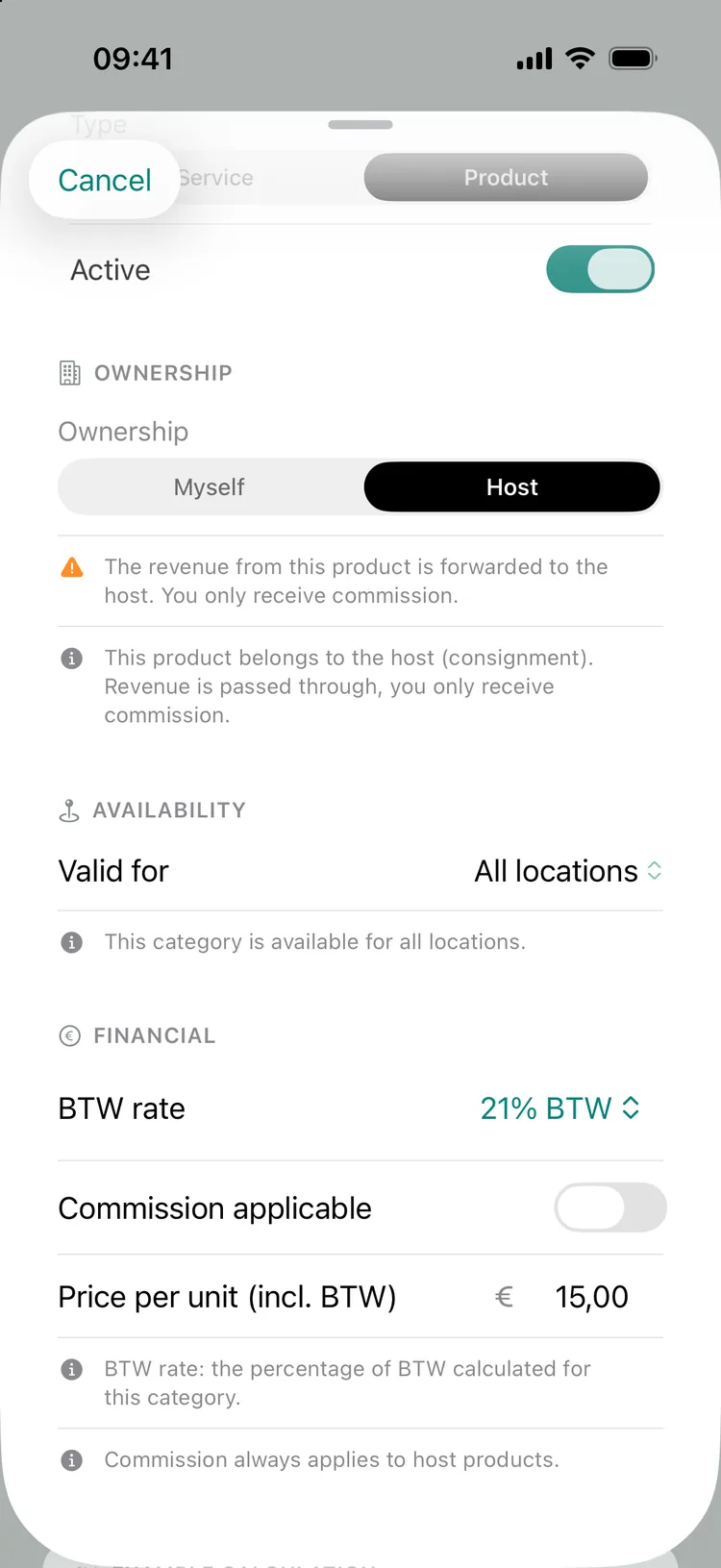
You set up your treatments and products with the right price and the right BTW rate (9% or 21%, sometimes 0%). One setting deserves extra attention, because it keeps your accounts clean: the owner. Own products you sell on your own account - that’s your revenue. Host products (money that isn’t yours) belong to the salon: you ring them up but pass the money on, and they never count as your revenue. ZumFlo automatically keeps the two apart.
To keep things clear you organise items into groups (each with its own colour and icon), and where needed you link items to a commission rule, so the commission is calculated over exactly the right revenue (a separate exception agreement per service or product is part of Pro). How BTW works out for each profession is explained in VAT and chair rental.
Integrations
Connections that take work off your hands
You activate your connections in Settings (the gear icon at the top right of My Business). Your card terminal (SumUp or PayPal POS) fetches your card payments and tips automatically. With Pro you can also connect your accounting software there via Moneybird, so your closed month is booked neatly. Your calendar (also Pro) is linked per location: open your host’s location and, on the Calendar card, tap “Link calendar” - so your daily log fills itself in ahead of time. Every connection is a convenience, not a requirement: ZumFlo also works fully on its own.
Your subscription
Standard or Pro
You’ll also find your subscription in Settings. You try ZumFlo free for 14 days at Pro level, with lower limits for the AI features; after that you choose Standard or Pro, as a monthly or annual subscription. Standard works with up to two work locations; automatic price list import and reports in 10 languages are part of both plans. Pro has unlimited locations and adds, among other things, the calendar connection with forecast, the settlement check, receipt and purchase invoice scanning, the Moneybird connection, accounting exports and the accounting file, exception rules and stepped pricing. What it costs and which limits apply is explained in getting started under “What does ZumFlo cost?”.
If you switch or cancel, your data stays yours - if you downgrade it is kept, only the Pro features become inactive. If you then work at more than two locations, the two you used most recently stay editable and the others become read-only, until you upgrade again or deactivate a location. A linked calendar is kept, but syncing is paused.
FAQ
Frequently asked questions about My Business
What is the difference between own products and host products?
You sell own products on your own account; they are your revenue. Host products (money that isn’t yours) belong to the salon: you ring them up, but you pass the money on - it is not your revenue. In My Business you set the owner per category, and ZumFlo automatically keeps the two apart in your calculation and your settlement.
Can I set up multiple locations?
Yes. You can add unlimited hosts (with Pro), each with its own financial agreements - chair rental, commission or a combination, optionally with tiers. ZumFlo keeps everything separate per location, right through to the settlement. Standard works with up to two work locations; if you have more, the extra locations become read-only.
Where do I change my subscription?
You’ll find your subscription in Settings (via My Business): your trial period, the choice between Standard and Pro, and switching or cancelling. Your data stays yours; if you downgrade it is kept, only the Pro features become inactive.
Set it up properly, once.
My Business is the foundation: your locations, your agreements and your services. Get those right, and everything else falls into place - every working day, every month.
ZumFlo can be set up to match the way your business works - one or more locations, each with its own agreements.

Read more:
Getting started with ZumFlo · Setting up your collaboration · VAT and chair rental · Connecting Moneybird
Getting started with ZumFlo · Setting up your collaboration · VAT and chair rental · Connecting Moneybird
© 2026 Sub37 Labs. All rights reserved. Use of this text without permission is not permitted.