The Overview tab

Where Today is about your working day, Overview is about your month. This is where your daily logs come together into a picture that adds up: what you earned, what gets settled with your host, and the reports to share it.

The day is done, your daily logs are in - and then what? That’s where Overview comes in. Here your working days add up to a month that balances, and everything revolves around three things: your result, your settlement with the host, and your reports.

This page shows what Overview tells you and what you do there. The step-by-step walkthrough of settling up itself is in month-end closing; the quarterly and annual side is in quarter- and year-end closing.
Your month at a glance

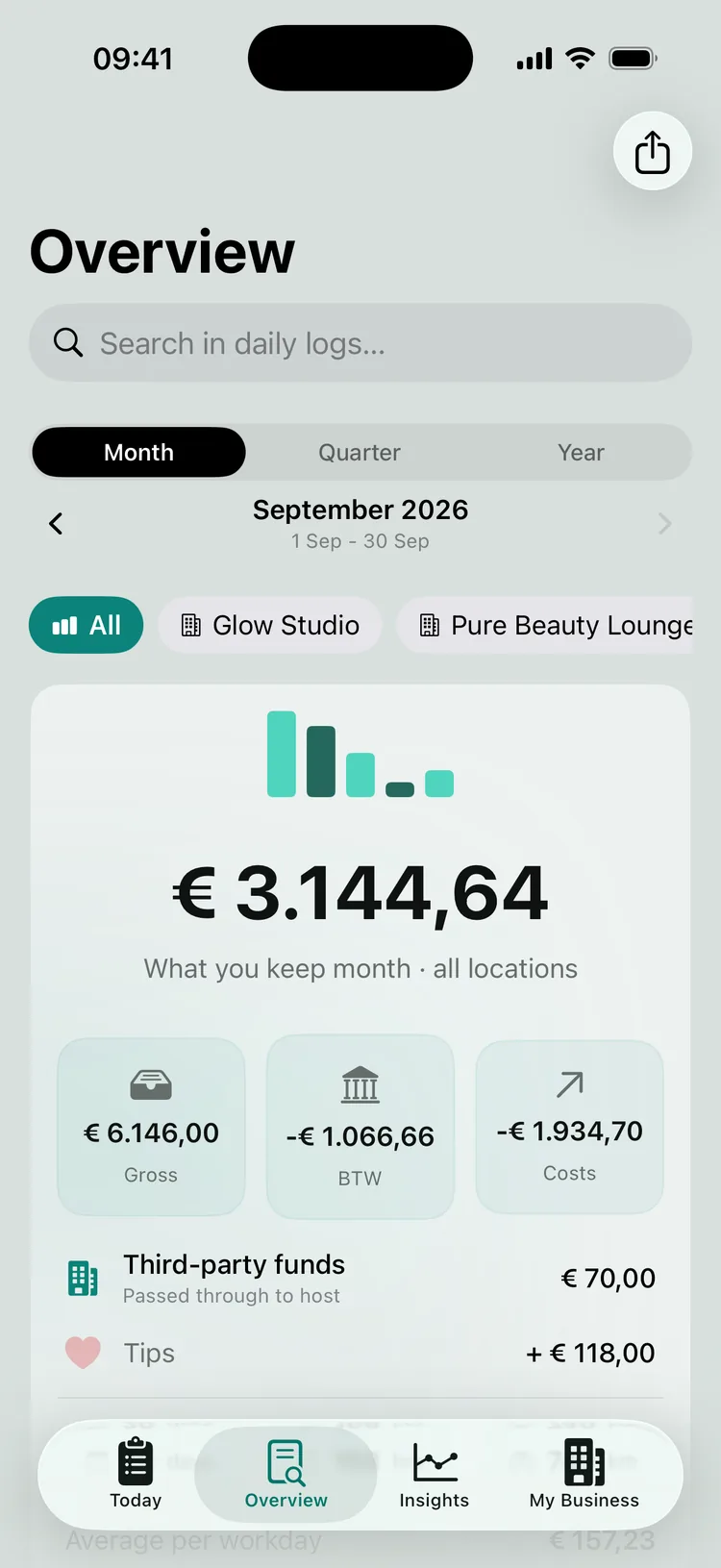
Pick a month and you see the net result built up from all your daily logs, as one big number - the same calculation behind your daily log, now at month level, with your gross revenue, BTW (Dutch VAT) and costs underneath. You can move freely between months and use the scope to switch between month, quarter and year. Next to your result you’ll also find a Cash flow card and a Transaction overview.

Work at more than one salon? Tap a location chip and the overview recalculates for that one location. In the Host Overview block you also see the settlement amount for each host - what there is to settle with that salon - along with the status of the settlement. So you know not only what you earned in total, but also where you stand at each workplace.

The net monthly result across all locations, with the tiles Gross, BTW and Costs, and below them Third-party funds and Tips.
Overview shows, per month and per location, what you earned, built up from your daily logs.

See at a glance whether your month is complete

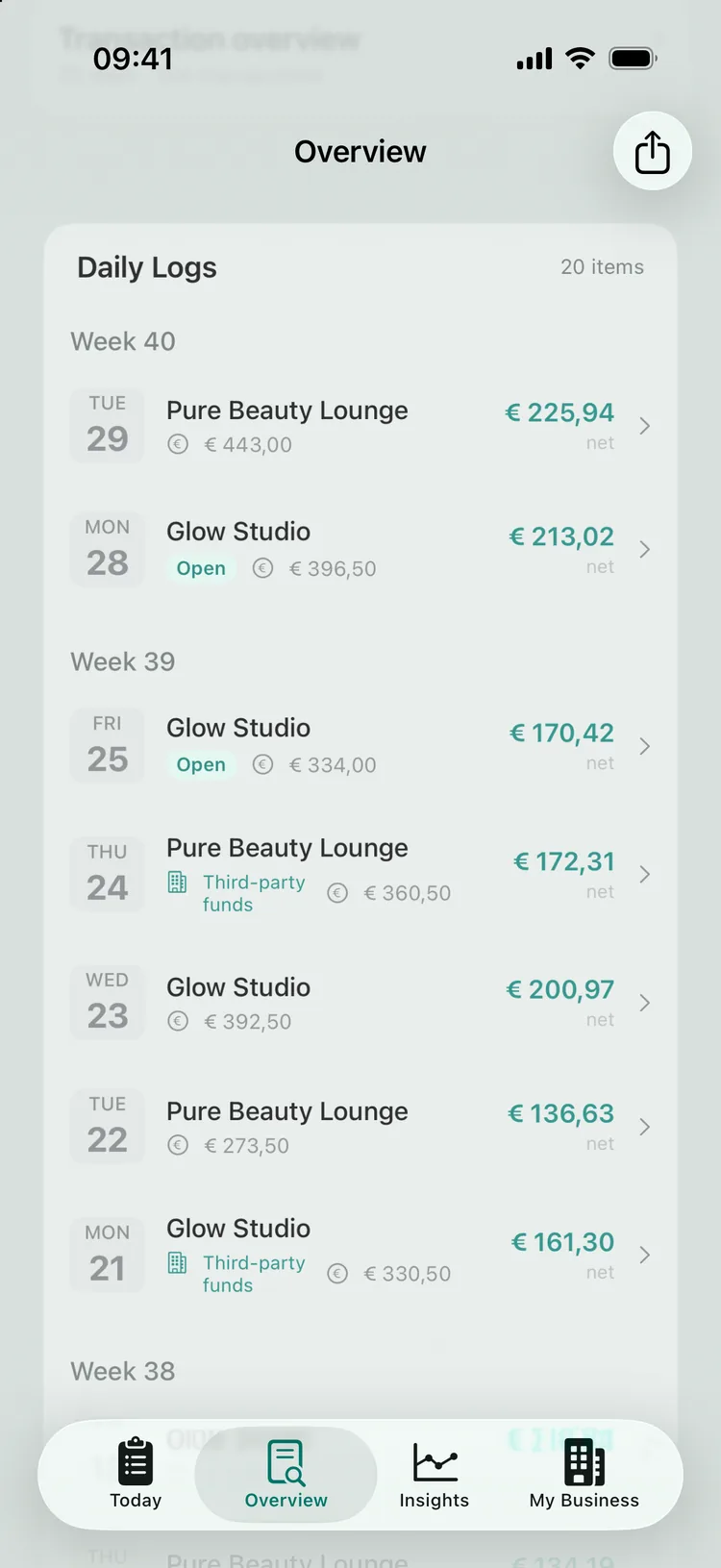
Before you settle up, you want to be sure the month is finished. The Daily Logs block lists your working days: a day that hasn’t been finalised yet carries an “Open” label, a finalised day doesn’t. An open day hasn’t been fully processed and doesn’t count properly yet; tap it to finalise it straight away. That way you start the settlement on complete figures rather than halfway through.

The Daily Logs card for September, in which two days still carry the Open label.
Check that no day is still open before you settle up.

Settling up with your host

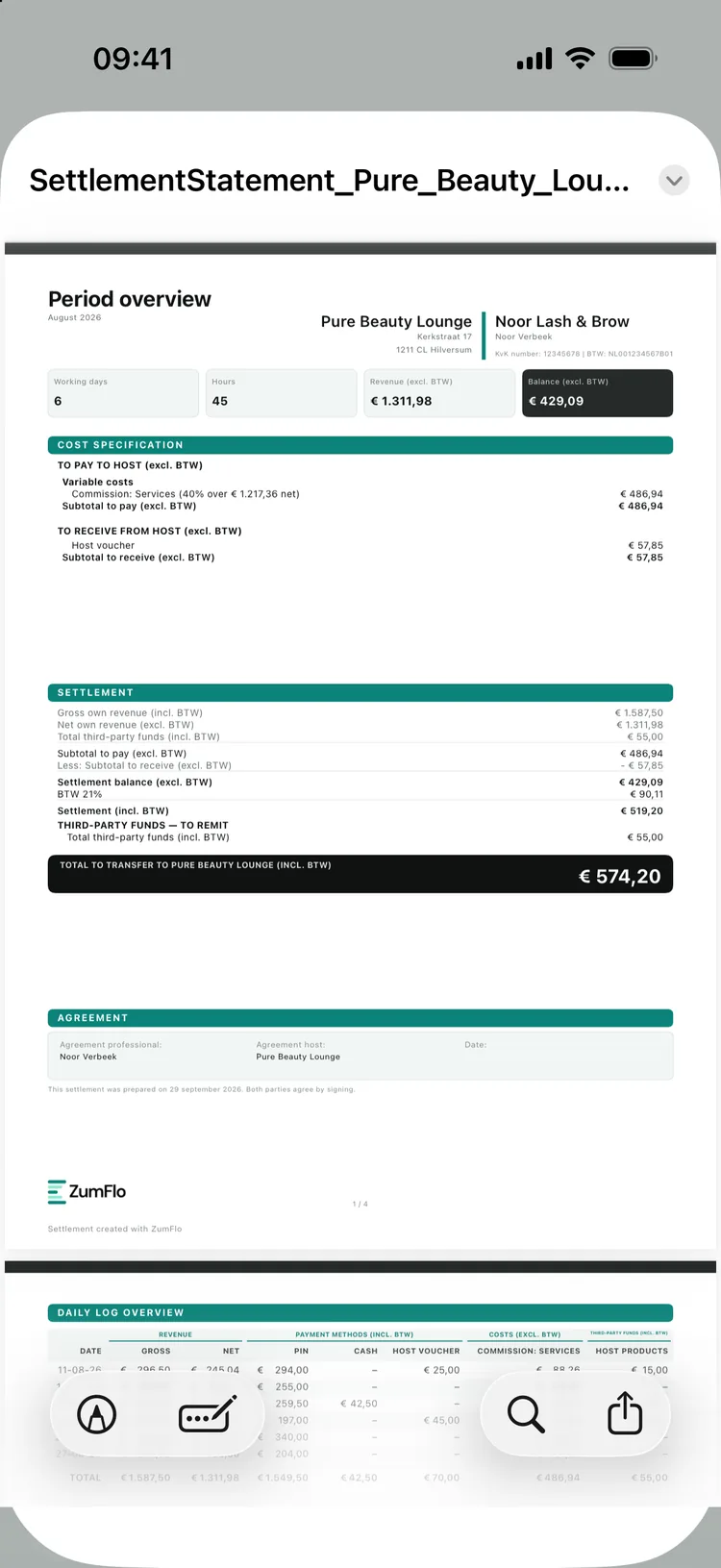
Overview is also where your settlement with the host takes shape. From your daily logs ZumFlo automatically builds a period overview - your specification for that month, per location, including everything that went outside the salon’s own system (cash, gift vouchers, non-standard treatments). You share it with your host, and with Pro you can put your figures next to the salon’s to explain any differences.

That whole process - sharing, comparing, reaching agreement and locking - is laid out step by step, with every screen, in month-end closing. What you need to know about the settlement conceptually is in the settlement explained.

The August period overview for Pure Beauty Lounge: cost breakdown, settlement and the total that goes to the host.
Your specification for the month - ready to share and go through together.

The right report for the right reader

Through the Export menu (the share icon at the top right) you create the reports that round off your bookkeeping, each with its own purpose:

  • The Period overview - for yourself: your revenue, costs and net result side by side. The PDF is called Monthly overview, Quarterly overview or Annual overview, depending on your scope.
  • The period overview - for your host: the specification you use to check the settlement together. You create this report in the settlement with your host, not in the Export menu.
  • The Accountant’s file, the BTW overview, the Transaction overview and Financial overview, the Mileage registration, the purchase invoice export and the CSV exports (Pro) - for your accountant: your BTW neatly broken down and your figures ready to copy across. More on this in quarter- and year-end closing.
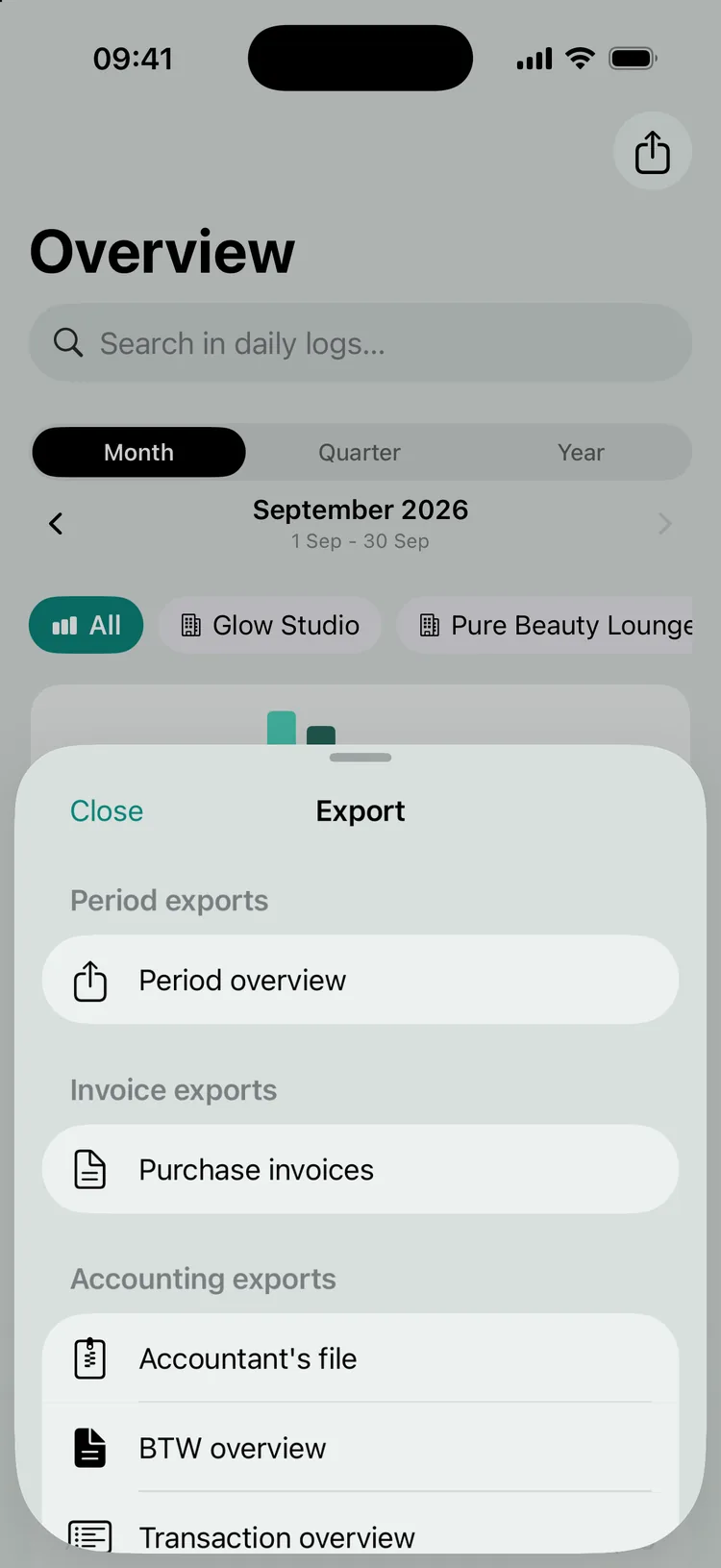
Every report is generated as a PDF (the bookkeeping exports also as CSV), ready to share. So everyone gets exactly the overview that fits their role, from the same source.

The Export menu in Overview with period exports, purchase invoices and the accounting exports.
Every report has its own reader - you, your host or your accountant.

Closing and locking

Once you and your host agree, you close the month in the settlement with your host (via Host Overview → the location); the final step is called “Lock daily logs”. That fixes the figures for that month, so a closed period can’t change by accident - the confirmation that the month is final, for you, your host and later your accountant. If you use Moneybird, you can then have the closed month booked. The full closing flow is in month-end closing.

Frequently asked questions about Overview

Overview is the place in the app where your month comes together: your result, your daily logs and your reports. Month-end closing is the series of steps you carry out there to settle up with your host - comparing, reaching agreement and locking. So Overview is the tab, month-end closing is the process.

The Period overview for yourself (the PDF is called Monthly, Quarterly or Annual overview), the period overview you share with your host, and - with Pro - the Accountant’s file, the BTW overview, the Transaction overview and Financial overview, the Mileage registration, the purchase invoice export and the CSV exports for your accountant.

Yes. If you work with more than one host, Overview shows your result per location as well as a combined total. You also close each location separately, so every settlement adds up on its own.

Your month, added up and accounted for.

Overview turns your separate working days into one clear picture: what you earned, what gets settled with your host, and the reports to share it.

ZumFlo builds your monthly overview and your settlement automatically from your daily logs.

Download on the App Store
© 2026 Sub37 Labs. All rights reserved. Use of this text without permission is not permitted.